
Dead Zone Coverage: Bluetooth Panic Button Safety Guide

Nurse fading transparent near stairwell door showing bluetooth panic button safety coverage gap

Key Takeaways

  • The locations where workplace violence happens most often in behavioral health facilities are the same locations where WiFi-dependent safety systems lose signal, and you can find that overlap with data you already have.
  • A structured walkthrough process using incident reports and coverage maps shows you where bluetooth panic button safety gaps are and builds the evidence case for closing them.
  • Deploying coverage in highest-risk zones first, then expanding facility-wide, gives security leaders a defensible, documented safety program that holds up under survey scrutiny.

Your monthly incident reports keep telling the same story. The stairwell between units. The parking lot after second shift. The outdoor courtyard during patient transport. These locations show up month after month because they are where your WiFi-dependent bluetooth panic button safety system goes silent.

Reinforced concrete and metal fire doors block WiFi signals. The same construction materials that keep patients contained are the ones that create dead zones for staff. The coverage map and the incident map overlap in exactly the wrong places.

This guide walks through how to find those gaps, document them, and close them with technology that works where WiFi can’t.

Start With What You Already Have: Incident Data and Coverage Maps

Before evaluating any new technology, build the case with data that already sits in your systems.

Pull your last 12 months of incident location data. Your violence prevention committee, your CNO, or your risk management team should have this. Then get current WiFi coverage maps from your technology staff. Overlay the two datasets. Across behavioral health facilities, the pattern is consistent: the areas where incidents cluster are the areas where coverage drops.

What you are looking for:

  • Which incident locations fall inside documented WiFi dead zones
  • Whether the same locations appear repeatedly across months
  • Which high-traffic staff areas (parking lots, stairwells, outdoor walkways) have no coverage at all
  • Whether your coverage maps were tested with doors in their normal locked position or standing open

That last point matters more than most people realize. WiFi signal tests run with doors propped open produce coverage maps that look nothing like what your facility actually looks like day to day. Reinforced doors in locked position block enough signal to turn a covered corridor into a dead zone.

For multi-site teams, this assessment must happen at each facility separately. Construction materials and layouts vary building to building, and a coverage map from one location tells you nothing about another.

The Locations That Matter Most

Focus your coverage checks on the locations you worry about most, not the locations easiest to cover.

LocationWhy It MattersWhat to Test
Parking lots and structuresWhere a large share of healthcare violence happens [1]Test at facility perimeter and every level of parking structures
StairwellsAmong the highest-risk areas for staff injury [2]Test with fire doors in closed and locked position
Outdoor transition areasNothing covers the open space between buildingsTest at maximum distance between buildings
Elevator cabsMetal enclosure blocks most wireless signals [2]Test at each floor with doors closed
Older building wingsThick walls and old construction block signals even moreTest in corridors and patient rooms, not just common areas

Walk these locations yourself with a test device. Press the panic button in the parking garage on level three. Press it in the stairwell with the fire door shut. Press it in the outdoor walkway between buildings at the farthest point from either entrance.

If the alert doesn’t go through, your staff already know. They figured out which zones are dead long before any formal audit confirmed it.

See how one behavioral health provider documented coverage results across their facilities.

What Closes the Gap

The dead zone problem is structural. WiFi can’t reach these areas because the building materials physically block the signal. Extending WiFi or running wires into a parking garage or a concrete stairwell is expensive, disruptive, and often still unreliable.

Standalone wireless safety systems operate on their own network, independent of facility WiFi [3]. Battery-powered beacons require no wiring, run for years on standard batteries, and go in areas that wired systems could never reach. If one beacon goes down, the network routes around it automatically.

What that means for your walkthrough: the parking structure, the stairwell, and the outdoor courtyard all become covered zones. During a four-hour power outage at one facility, the safety system kept running on battery power with six to eight hours of backup while WiFi went dark [4].

For the full technical breakdown of how this architecture works, the CTO evaluation guide covers it in detail.

If your walkthrough confirmed dead zones in high-risk areas, we can help you map a deployment plan.

Contact Us

Bluetooth Panic Button Safety: Who Owns What

Bluetooth panic button safety deployment works when responsibilities are clear from the start.

TaskCorporate SecurityFacility Security DirectorCSO Role
Coverage standardsEstablish enterprise-wide requirementsExecute within corporate standardsDefine what “complete coverage” means for each site
Gap assessmentProvide assessment frameworkConduct site-specific walkthroughReview results against incident data
Deployment oversightMonitor enterprise rolloutExecute facility deploymentVerify coverage in previously uncovered zones
Compliance recordsEstablish documentation standardsMaintain site-specific evidenceEnsure evidence package is survey-ready

Joint Commission workplace violence prevention standards took effect in July 2024 for behavioral health settings [5], and surveyors have started asking for coverage proof in parking structures and outdoor areas. Loss of accreditation puts Medicare and Medicaid funding at risk [6]. The technology alone doesn’t protect you in a survey. The evidence package does.

Get your current incident numbers on record before deployment. You need a documented before-and-after comparison. Without it, proving program effectiveness to leadership and surveyors becomes a credibility problem.

Your Assessment Checklist for This Week

You don’t need to wait for budget approval or a vendor selection to start. The assessment itself is free and builds the case for everything that follows.

  • Pull 12 months of incident location data and overlay it against current WiFi coverage maps. Where do the clusters land relative to your dead zones?
  • Walk your parking structures, stairwells, and outdoor transition areas with a test device. Can you trigger and receive an alert from every location where staff actually work?
  • Confirm with facilities management whether WiFi access points sit on backup generator circuits. If they don’t, document the gap.
  • Verify you can pull up audit logs within 30 minutes of a surveyor request. Surveyors don’t schedule these asks in advance.
  • Ask your violence prevention committee: can staff name the zones where they don’t trust the system? That list is your real coverage audit.

Start with the parking lot that showed up on last month’s incident report. With the assessment complete and gaps documented, bluetooth panic button safety coverage can extend to every location where incidents actually happen. One zone at a time is how coverage gaps close for good.

STAFF SAFETY

Close the Dead Zones in Your Facility

Bluetooth panic button safety coverage that reaches every parking lot, stairwell, and outdoor area where your staff work.

References

  1. ASPR TRACIE / American Hospital Association. https://files.asprtracie.hhs.gov/documents/on-campus-hospital-armed-assailant-planning-considerations.pdf
  2. Office of Justice Programs. https://www.ojp.gov/pdffiles/cptedpkg.pdf
  3. NCBI. https://pmc.ncbi.nlm.nih.gov/articles/PMC11435828/
  4. ROAR for Good – Internal Data, 2024.
  5. Joint Commission. https://www.jointcommission.org/en-us/knowledge-library/workforce-safety-and-well-being-resource-center/workplace-violence-prevention/workplace-violence-prevention-program
  6. Facilio. https://facilio.ae/blog/healthcare-joint-commission-compliance/
Coverage Architecture Brief: Bluetooth Panic Button Systems

Hospital hallway during power outage showing active BLE beacons for bluetooth panic button brief coverage

Key Takeaways

  • Coverage gaps in parking lots, stairwells, and outdoor areas aren’t a technology footnote. They’re an institutional risk that belongs in front of leadership.
  • Framing the ask as a site assessment rather than a purchase commitment lowers the barrier and lets the evidence build the case on its own.
  • A short, evidence-backed bluetooth panic button brief gives CSOs the language to translate physical security findings into terms that move a CEO or CFO to action.

Every facility has coverage gaps the security team already knows about. The parking structure. The stairwell between locked units. The outdoor courtyard. These locations show up on incident reports and disappear from safety system coverage maps, and the pattern repeats quarter after quarter.

The question for CSOs isn’t whether the gaps exist. It’s how to get leadership to act on them. This bluetooth panic button brief gives you the framing, the evidence, and the objection responses to walk into that conversation ready.

The Risk Your Coverage Gaps Create

Coverage gaps carry three categories of institutional risk that leadership needs to hear in their language.

  • Liability exposure. Psychiatric aides face workplace violence at roughly 39 times the national average [1]. When incidents happen in documented dead zones where the safety system can’t reach, the facility’s awareness of those gaps becomes part of the liability picture. You knew. The system couldn’t respond.
  • Compliance vulnerability. Joint Commission workplace violence prevention standards took effect in July 2024 for behavioral health settings [2]. Surveyors are asking for coverage proof in parking structures and outdoor areas. Dead zones aren’t a technical detail. They’re a finding waiting to happen. Loss of accreditation puts Medicare and Medicaid funding at risk [3].
  • Retention impact. Nurses at competing facilities are asking during interviews whether the duress system works in the parking garage at shift change [4]. Facilities with visible, verified safety coverage are winning the staffing battle in a market where every departure costs months of recruiting and training.

How to Frame the Ask

The most effective framing isn’t “we need to buy a new system.” It’s “we need to assess what our current system actually covers.”

That reframe matters because it changes the decision from a capital expenditure approval to an information-gathering step. A site assessment confirms whether dead zones and high-incident locations overlap. If they do, the evidence makes the next ask for you. If they don’t, you’ve documented that your coverage is sound.

See how one behavioral health provider used this approach to document results across their facilities.

Here’s a structure for the recommendation:

  • The problem: Our safety system doesn’t reach the locations where incidents happen most. Here are the last 12 months of incident data overlaid on our coverage map.
  • The risk: We have documented awareness of these gaps. Joint Commission surveyors are now asking for coverage proof in these specific areas.
  • The solution: WiFi-independent safety systems that reach every zone without touching our clinical network or requiring construction.
  • The evidence: Peer facilities report documented coverage across all zones, resilience during power outages on battery backup, and deployment in days with zero disruption to patient care [5].
  • The ask: Approve a site assessment to confirm the scope of our coverage gaps. The assessment itself builds the evidence for whatever comes next.

Objections You’ll Hear

Leadership will push back. Here’s what to expect and how to respond.

ObjectionResponse
“Our WiFi covers the whole building.”WiFi coverage maps are tested with doors open. Run a test in the parking garage and stairwell with doors locked. The results will speak for themselves.
“This sounds expensive.”A site assessment costs nothing. Deployment runs around $182 per badge with no wiring and no construction [5]. Compare that to one workers’ comp claim from an incident in an uncovered zone.
“Our technology team is already stretched.”The system runs on its own network. It doesn’t touch clinical infrastructure and doesn’t add work for technology staff.
“We’ll address it next budget cycle.”Surveyors don’t schedule around your budget timeline. Neither do incidents. The assessment takes days, not months.

If you're preparing a leadership briefing on coverage gaps, we can help you build the evidence package.

Contact Us

What This Bluetooth Panic Button Brief Gets You

You don’t need to make the full case in one meeting. You need leadership to approve one step: a site assessment that maps your coverage gaps against your incident data.

Once that assessment confirms what your team already knows, the evidence does the rest. The parking lot, the stairwell, and the outdoor courtyard don’t have to remain the places where your safety program goes quiet. This bluetooth panic button brief gives you the language to make sure they won’t.

STAFF SAFETY

Start With a Site Assessment

Map your coverage gaps against your incident data. The evidence builds the case for everything that comes next.

References

  1. Bureau of Labor Statistics. https://www.bls.gov/iif/factsheets/workplace-violence-2021-2022.htm
  2. Joint Commission. https://www.jointcommission.org/en-us/knowledge-library/newsletters/joint-commission-online/17-jul-24
  3. Facilio. https://facilio.ae/blog/healthcare-joint-commission-compliance/

  4. KLAS Research. https://engage.klasresearch.com/blog/leveraging-technology-to-keep-healthcare-workers-safe/5919/
  5. ROAR for Good – Internal Data, 2024.

When WiFi Fails: Bluetooth Panic Button Confidence

healthcare security bluetooth panic button — security director annotating incident location wall with beacon deployment plan

Key Takeaways

  • Security leaders who can map their facility’s coverage gaps carry the weight of knowing exactly where staff are unprotected, and every incident in a flagged location deepens that burden.
  • Bluetooth panic button confidence requires protection that works in parking lots, stairwells, and outdoor areas independent of facility WiFi, because those are the zones where violence concentrates.
  • When verified coverage reaches every zone, staff trust in the safety program shifts measurably and the anxiety of managing around known blind spots lifts.

The locations that show up most often on incident reports are the same locations where WiFi-dependent safety systems lose signal. Parking lots. Stairwells. Outdoor transition areas between buildings. Security directors know this because they have walked those zones, flagged them, and watched the same locations appear in reports quarter after quarter.

That overlap is what makes bluetooth panic button confidence feel out of reach. You can see exactly where the gaps are. You know incidents will keep happening there. And with a WiFi-dependent system, you have no way to close them.

Where Incidents Concentrate and Coverage Disappears

Parking lots account for roughly one in four to two in five healthcare workplace violence incidents [1]. Stairwells and outdoor transition zones follow close behind. Psychiatric and substance abuse hospitals record more than 110 violent incidents for every 10,000 workers [2], and the worst of it happens in areas with the weakest coverage.

Security leaders describe the same pattern when they overlay incident data onto coverage maps. The clusters sit directly on top of the dead zones. The areas flagged for safety concerns are the same areas where the safety system goes quiet.

For CSOs, this creates a specific kind of burden. You can see the risk. You have documented it. And the current system can’t reach it.

What Your Staff Already Know

Staff figure out coverage gaps faster than any formal audit. More than eight in ten psychiatric nurses faced workplace violence in the past year, and more than half experienced physical attacks [3]. Yet roughly the same proportion of healthcare workers who experience violence never fully report it [4].

The connection between those two numbers runs through your dead zones. When staff learn which areas are covered and which aren’t, behavior shifts:

  • Devices stop getting carried in zones where signals drop
  • Incidents in dead zones go unreported because no one will respond anyway
  • New hires learn from colleagues which hallways and parking levels to avoid after dark
  • Violence prevention committees hear the same question repeatedly: “What’s the point if it doesn’t reach the parking lot?”

That informal knowledge is your real coverage audit. And it tells a different story than the vendor’s coverage map.

See how one behavioral health provider documented these results across their facilities.

The Joint Commission issued workplace violence prevention standards effective July 2024 for behavioral health settings [5], and state-level panic button mandates need devices to work reliably across entire facilities [6]. Assessors have started asking for coverage proof in parking structures and outdoor areas. The dead zones that staff already know about are becoming the dead zones that surveyors will document.

When Bluetooth Panic Button Confidence Becomes Real

The shift happens when the safety system stops depending on WiFi. Standalone wireless safety networks operate on their own infrastructure, separate from facility WiFi, separate from the hospital network [7]. They reach the zones that WiFi can’t: parking lots, stairwells, outdoor walkways, older building sections with dense construction.

What that means in practice: protection that reaches the parking structure on level P3. The stairwell between locked units. The outdoor courtyard where staff take breaks. Every location that appeared on incident reports and disappeared from coverage maps.

During a four-hour power outage at one facility, the safety system kept running on battery power with six to eight hours of backup [8]. WiFi went down. Lighting went down. The safety network stayed live in every zone because it never depended on the infrastructure that failed.

For a security leader who has spent years managing around known blind spots, that shift changes what the role feels like day to day.

If your facility has coverage gaps you already know about, we can help you map them and fix them.

Contact Us

What Changes When Every Zone Is Covered

When verified coverage reaches every area of the facility, things change for security leaders and for frontline staff.

What CSOs carry with coverage gapsWhat changes with verified full coverage
Knowing which zones are unprotected and waiting for the next incident thereEvery zone documented and covered, including the locations that previously had no protection
Staff distrust visible in underreporting and devices left behindStaff confidence measurable in reporting rates and how often devices are actually carried
Survey anxiety about coverage questions with no good answerCoverage proof for every room and area an assessor might ask about
Incident reports that confirm the same dead zones quarter after quarterThe pattern breaks because the dead zones no longer exist

Behavioral health facilities report up to a 38-point jump in staff responses to “I feel safe at work” after deploying coverage that reaches every zone [8]. Results vary by facility size and how visibly the deployment was communicated, but the direction is consistent: when staff believe the system works everywhere, their relationship with the safety program changes.

What shifts for CSOs:

  • The gap between what you know and what you can fix closes
  • Your incident reports stop pointing to the same blind spots
  • Coverage becomes something you can show a surveyor, not something you explain around
  • The weight of knowing where people are unprotected lifts

Bluetooth panic button confidence is specific. It means verified protection in every parking lot, stairwell, and outdoor area where your staff work and where incidents happen. The dead zones on this morning’s incident report can be the last ones your facility carries.

STAFF SAFETY

Coverage That Reaches Every Zone in Your Facility

Bluetooth panic button confidence starts with verified protection in every parking lot, stairwell, and outdoor area where your staff work.

References

  1. ASPR TRACIE / American Hospital Association. https://files.asprtracie.hhs.gov/documents/on-campus-hospital-armed-assailant-planning-considerations.pdf
  2. Sheps Center UNC. https://www.shepscenter.unc.edu/wp-content/uploads/2025/01/Y10.01_Brief-1.pdf
  3. NCBI. https://pmc.ncbi.nlm.nih.gov/articles/PMC6345477/
  4. American Nurses Association. https://www.nursingworld.org/content-hub/resources/workplace/unreported-workplace-violence—why-is-this-so-common/
  5. Joint Commission. https://www.jointcommission.org/en-us/knowledge-library/workforce-safety-and-well-being-resource-center/workplace-violence-prevention/workplace-violence-prevention-program
  6. Noonlight. https://www.noonlight.com/blog/panic-buttons-the-common-thread-in-frontline-worker-safety-laws
  7. NCBI. https://pmc.ncbi.nlm.nih.gov/articles/PMC11435828/
  8. ROAR for Good – Internal Data, 2024.

Peer CSO Safety Insights: WiFi-Free Duress Systems

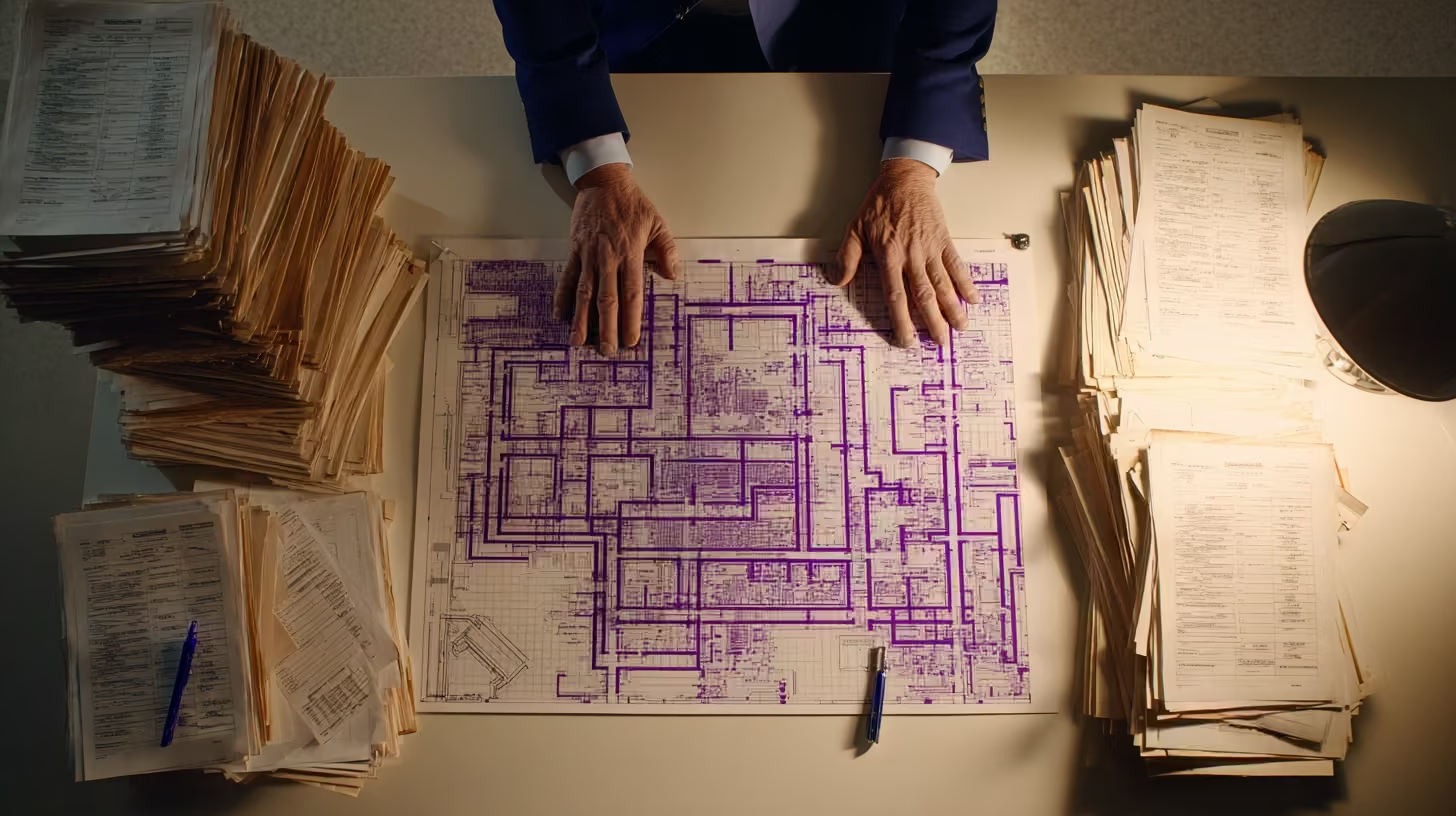
Peer CSO safety insights shown as security director reviewing complete facility coverage map with purple routes

Key Takeaways

  • Security directors at peer behavioral health facilities stopped trying to extend WiFi into dead zones and shifted to safety systems that don’t depend on facility networks at all.
  • The peer conversation changed after high-profile infrastructure failures proved that WiFi-dependent duress systems fail at the exact moment facilities are most chaotic.
  • Facilities that made the switch are reporting consistent coverage in every zone, resilience during outages, and a measurable edge in staff recruitment and retention.

Peer CSO safety insights from behavioral health facilities with the same infrastructure challenges keep pointing to one conclusion: the problem security directors solved wasn’t WiFi quality. It was WiFi dependency.

The security leaders who moved first didn’t wait for a perfect network. They stopped asking their technology staff to fix coverage in parking garages and stairwells, and started evaluating systems that bypass facility WiFi entirely.

The Day the Infrastructure Question Got Answered

On July 19, 2024, a defective software update crashed millions of Windows systems worldwide, disrupting healthcare delivery across at least a dozen major U.S. hospital systems [1]. Electronic health records went down. Monitoring platforms went dark. Staff across multiple facilities hit blue error screens at the same time [2].

For security directors whose duress systems ran on that same network infrastructure, the outage proved what many had suspected: WiFi-dependent safety technology fails at the exact moment a facility is most chaotic.

That event accelerated a conversation that was already building. Psychiatric aides face workplace violence at roughly 39 times the national average [3]. The incidents concentrate in parking structures, stairwells, and outdoor transition areas, the same locations where WiFi signals degrade or disappear [4]. Peer security directors had been tracking that overlap for years. The outage shifted the conversation from “we should look at this eventually” to “we can’t justify not acting on it.”

Within months, the security directors who moved first were sharing results with peers at regional conferences and industry roundtables. The message was consistent: once you stop treating dead zones as a WiFi problem and start treating them as an architecture decision, the path forward gets simple.

What Peer Security Directors Stopped Doing

The shift wasn’t about finding better WiFi. It was about removing WiFi from the equation.

Security directors at peer facilities describe a common cycle: months spent coordinating with technology staff to extend network coverage to parking garages and outdoor areas, only to discover the new equipment still couldn’t hold a reliable signal through two floors of poured concrete. Buildings constructed decades ago with dense materials produce dead zones that no amount of network funding fixes [4].

What peers stopped doing versus what they started doing:

What peers stoppedWhat peers started
Requesting WiFi extensions to parking structures and outdoor areasEvaluating safety systems that run on their own dedicated network
Waiting for technology staff to solve coverage gapsDeploying battery-powered systems that require no wiring and no network changes
Accepting vendor coverage claims based on lab conditionsRequiring site-specific verification with doors in locked position
Treating dead zones as an IT problemReframing dead zones as a solvable design problem

That last row is the core of the shift. The parking garage isn’t uncovered because your technology team failed. It’s uncovered because the system you chose depends on infrastructure that can’t reach it.

See how one behavioral health provider documented these results across their facilities.

What Peer CSO Safety Insights Reveal After the Switch

The facilities that deployed WiFi-independent systems are reporting three things consistently.

  • Coverage that holds during outages. During a four-hour power outage at one facility, the safety system stayed live on battery backup with six to eight hours of reserve while WiFi went dark [5]. For security directors who had been managing around known gaps, that was the proof point that mattered most: the system worked when everything else didn’t.
  • Staff who actually carry and use devices. When coverage reaches every zone, staff behavior changes. Devices stop getting left in lockers. Reporting rates go up. Violence prevention committees stop hearing “what’s the point if it doesn’t work in the parking lot.”
  • A recruitment edge. This is the piece that surprised peer security directors. Nurses at competing facilities are asking during interviews whether the duress system works in the parking garage at shift change [6]. That level of specificity tells you what candidates have experienced at previous employers, or heard from colleagues who left. Facilities with visible, verified safety coverage are using it as a retention and recruitment tool in a market where staffing is already stretched thin.

The retention angle feeds back into everything else. Facilities with lower turnover have more experienced staff, better incident documentation, and stronger evidence packages when surveyors arrive. The safety investment pays forward in ways that don’t show up on the original budget request.

Worth noting: these outcomes come from early adopters. Facilities with unusual layouts, multi-level parking structures, or long outdoor corridors between buildings may see different timelines. But the direction is consistent across every peer deployment reported so far.

If your facility still runs WiFi-dependent safety systems, we can show you what peers switched to and why.

Contact Us

Where This Leaves Your Program

Joint Commission workplace violence prevention standards took effect in July 2024 for behavioral health settings [7], and surveyors are increasingly asking for coverage proof in parking structures and outdoor areas. Security directors at peer facilities aren’t just meeting that standard. They’re documenting performance data that goes beyond what surveyors require.

The gap between early movers and everyone else is widening. Peer facilities that switched to WiFi-independent systems are now in their second year of documented performance data. They have:

  • Before-and-after incident comparisons
  • Coverage verification records for every zone
  • Response time metrics broken out by facility area

Facilities still running WiFi-dependent systems will be starting from scratch.

Peer facilities are documenting outcomes, winning staffing battles, and passing surveys with evidence packages that leave nothing for assessors to question.

Your facility’s dead zones, the parking structure, the stairwell between units, the outdoor courtyard, don’t have to stay that way. Peer CSO safety insights point to one consistent conclusion: the architecture to close those gaps exists, and the facilities that adopted it are already documenting the results.

STAFF SAFETY

Your Peers Already Made the Switch

Security directors at peer facilities deployed WiFi-independent safety systems and are documenting the results. See what that looks like for your facility.

References

  1. ABC News. https://abcnews.com/Health/12-major-hospitals-health-systems-affected-global-outage/story?id=112103722
  2. PubMed Central. https://pmc.ncbi.nlm.nih.gov/articles/PMC12276631/
  3. Bureau of Labor Statistics. https://www.bls.gov/iif/factsheets/workplace-violence-2021-2022.htm
  4. The Fast Mode. https://www.thefastmode.com/expert-opinion/34308-reliable-wireless-service-in-hospitals-needs-and-challenges
  5. ROAR for Good – Internal Data, 2024.
  6. KLAS Research. https://engage.klasresearch.com/blog/leveraging-technology-to-keep-healthcare-workers-safe/5919/
  7. Joint Commission. https://www.jointcommission.org/en-us/knowledge-library/newsletters/joint-commission-online/17-jul-24

16 Bluetooth Panic Button Questions Healthcare Leaders Ask

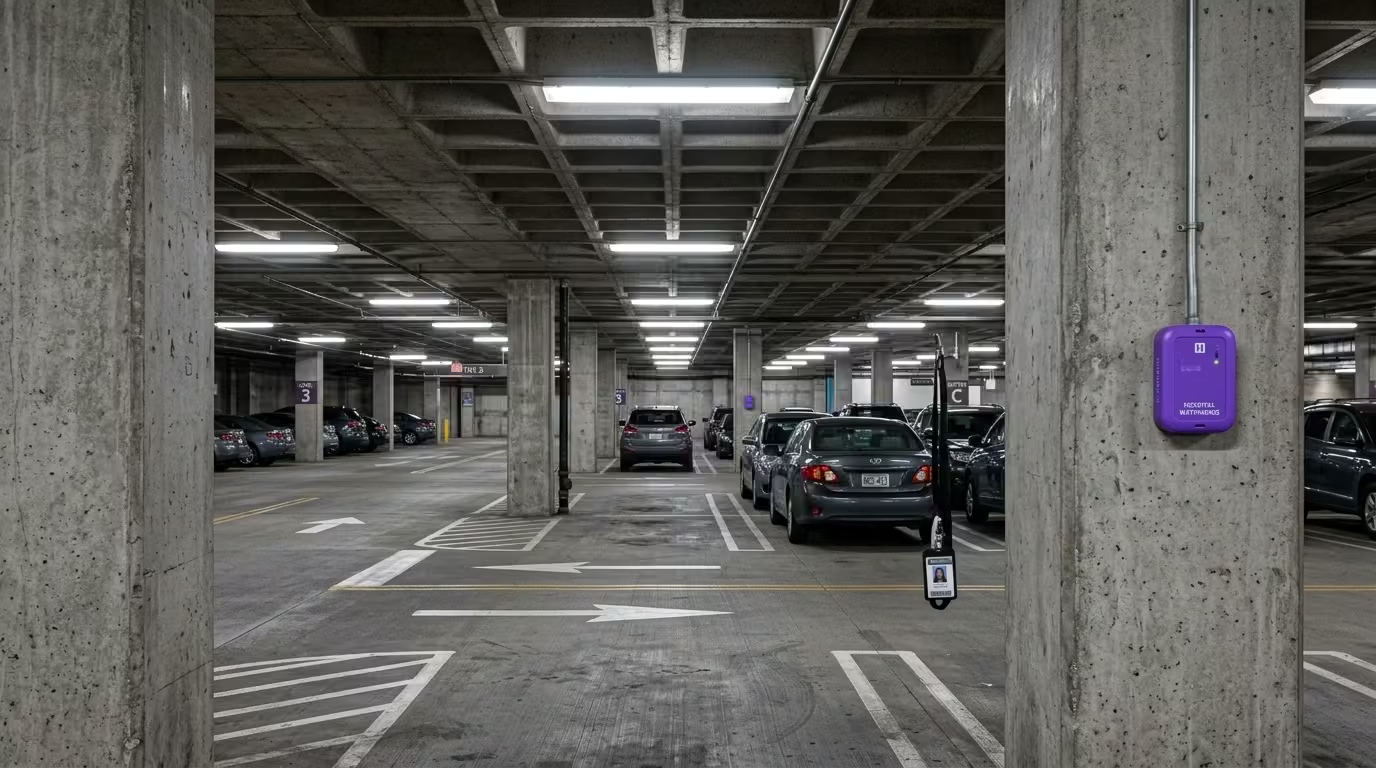
Bluetooth panic button beacon mounted on hospital parking structure concrete column showing BLE mesh coverage in WiFi dead zone

Bluetooth panic button systems work differently depending on their underlying architecture. The questions below cover how these systems perform in facilities without reliable WiFi, what separates standalone wireless networks from WiFi-dependent approaches, and what technical and security leaders need to evaluate before choosing a system. This bluetooth panic button FAQ draws from documented deployment data and published guides across this topic area.

What is a Bluetooth panic button and how does it work?

A Bluetooth panic button is a wearable device that sends a distress signal over a wireless network when pressed. In standalone BLE mesh systems, battery-powered beacons placed throughout a facility form their own network. That network operates independently of facility WiFi, so the signal reaches responders even in areas where internet connectivity drops. The alert includes the staff member’s location, typically accurate to the room level.

Why do WiFi-dependent panic buttons fail in behavioral health facilities?

WiFi-dependent systems fail because the buildings themselves block the signal. Behavioral health facilities use reinforced concrete, thick fire doors, and signal-dampening construction designed for patient safety. These materials create dead zones in stairwells, parking structures, and older wings, the same locations where violence incidents cluster most.

What is BLE mesh and how is it different from WiFi?

BLE mesh is a standalone wireless network built from battery-powered beacons. Each beacon relays signals to nearby beacons, creating a self-healing chain that routes around obstacles. Unlike WiFi, it requires no wiring, no access points, and no connection to clinical networks. If one beacon fails, neighboring beacons reroute the signal automatically.

Do Bluetooth panic buttons work during power outages?

Yes. Battery-powered BLE mesh beacons keep operating when facility power goes down. During a documented four-hour outage at one facility, the safety system stayed live on battery backup with six to eight hours of reserve while WiFi access points went dark. Healthcare facilities average more than seven power events per year, making outage resilience a critical requirement.

What areas can Bluetooth panic buttons cover that WiFi can’t?

Standalone BLE mesh covers parking structures, stairwells, elevator cabs, outdoor courtyards, and older building wings. These are the exact zones where WiFi drops and where incident reports show violence concentrates. Verified deployments confirm room-level accuracy across all these areas. Coverage reaches every zone staff actually work in, not just the zones where WiFi happens to reach.

How long does it take to deploy a Bluetooth panic button system?

BLE mesh systems deploy in days to weeks for a typical facility. A 100-room facility can be fully covered in two to three days of beacon placement. There’s no wiring, no construction, and no disruption to patient care during setup. WiFi-dependent and hardwired alternatives often take months and carry retrofit cost premiums of 25–40%.

Will a Bluetooth panic button system affect our clinical network?

A standalone BLE mesh system runs on its own private network. It shares zero bandwidth, zero infrastructure, and zero added security risk with clinical systems. Deployments carry HITRUST r2 and SOC 2 Type II certification on a dedicated network. Your technology team gains a safety system without adding load to the network they already manage.

What uptime should we expect from a Bluetooth panic button system?

Life-safety systems in healthcare require 99.9% uptime, which allows roughly 52 minutes of downtime per year. WiFi typically delivers 95–99% availability, translating to 36–87 hours of annual downtime. Standalone BLE mesh deployments document 99.9% SLA-verified uptime. The difference between those two numbers is measured in days, not minutes.

How do I evaluate Bluetooth panic button vendors?

Start with your facility, not the vendor brochure. Overlay your RF heat map with your incident location data. That one-afternoon analysis reveals where dead zones and assaults overlap. Then ask vendors for documented uptime records, site walkthrough results, current security certifications, and performance data from comparable facilities. The distinction between “targets 99.9%” and “documents 99.9%” separates strong vendors from weak ones.

What should a CTO prioritize when assessing these systems?

Prioritize infrastructure independence and documented evidence over vendor projections. Peer CTOs at leading behavioral health facilities focus on outage records, site walkthroughs, and current certifications rather than feature lists. Behavioral health technology teams typically run with 15–25 staff, so deployment speed and maintenance burden matter as much as coverage. Ask whether the system works in your building, not whether it works in a demo.

What should a CSO prioritize when assessing these systems?

Prioritize coverage proof in the specific zones where your staff are most at risk. Parking lots account for roughly one in four healthcare violence incidents, and stairwells rank among the highest-risk areas for staff injury. Peer security directors shifted from treating dead zones as a WiFi problem to treating them as an architecture decision. Ask vendors to prove coverage in your parking structure, your stairwells, and your outdoor transition areas.

How does a Bluetooth panic button system help with Joint Commission compliance?

Joint Commission workplace violence prevention standards took effect in July 2024 for behavioral health settings. These standards require proof that safety systems cover all areas where staff work, including parking structures and outdoor zones that WiFi often misses. Verified coverage data, uptime records, and incident response logs form the evidence package surveyors expect. Loss of accreditation puts Medicare and Medicaid funding at risk.

What does a Bluetooth panic button system cost?

Capital hardware cost runs around $182 per badge with no wiring and no construction. Standalone BLE mesh avoids the ongoing costs of WiFi access point expansion and the 25–40% retrofit premiums that hardwired systems carry. Total cost of ownership depends on facility size and architecture choice. A site assessment builds the specific cost picture before any purchase commitment.

How do I build the internal business case for this system?

Start by overlaying 12 months of incident data against your current coverage map. That overlay shows leadership exactly where staff are unprotected and turns a technology request into a documented risk. Frame the first ask as approval for a site assessment, not a purchase. Once the assessment confirms what the data already shows, the evidence builds the rest of the case.

Can staff trust that the system will work when they need it?

Staff already know where the dead zones are. They avoid certain stairwells, they walk in pairs through parking lots, and they tell new hires which areas to watch. When a system provides verified coverage in every one of those zones, trust follows. One facility reported a 38-point jump in staff responses to “I feel safe at work” after deploying full coverage.

What happens if a beacon in the BLE mesh network fails?

The mesh self-heals. Neighboring beacons automatically reroute the signal around the failed node. This means a single point of failure doesn’t create a coverage gap. The stress-scenario performance data for BLE mesh confirms continued operation through node failures, power outages, and network disruptions. Battery-powered beacons also eliminate dependence on facility electrical infrastructure.

3 Architectures Compared: Bluetooth Panic Button Systems

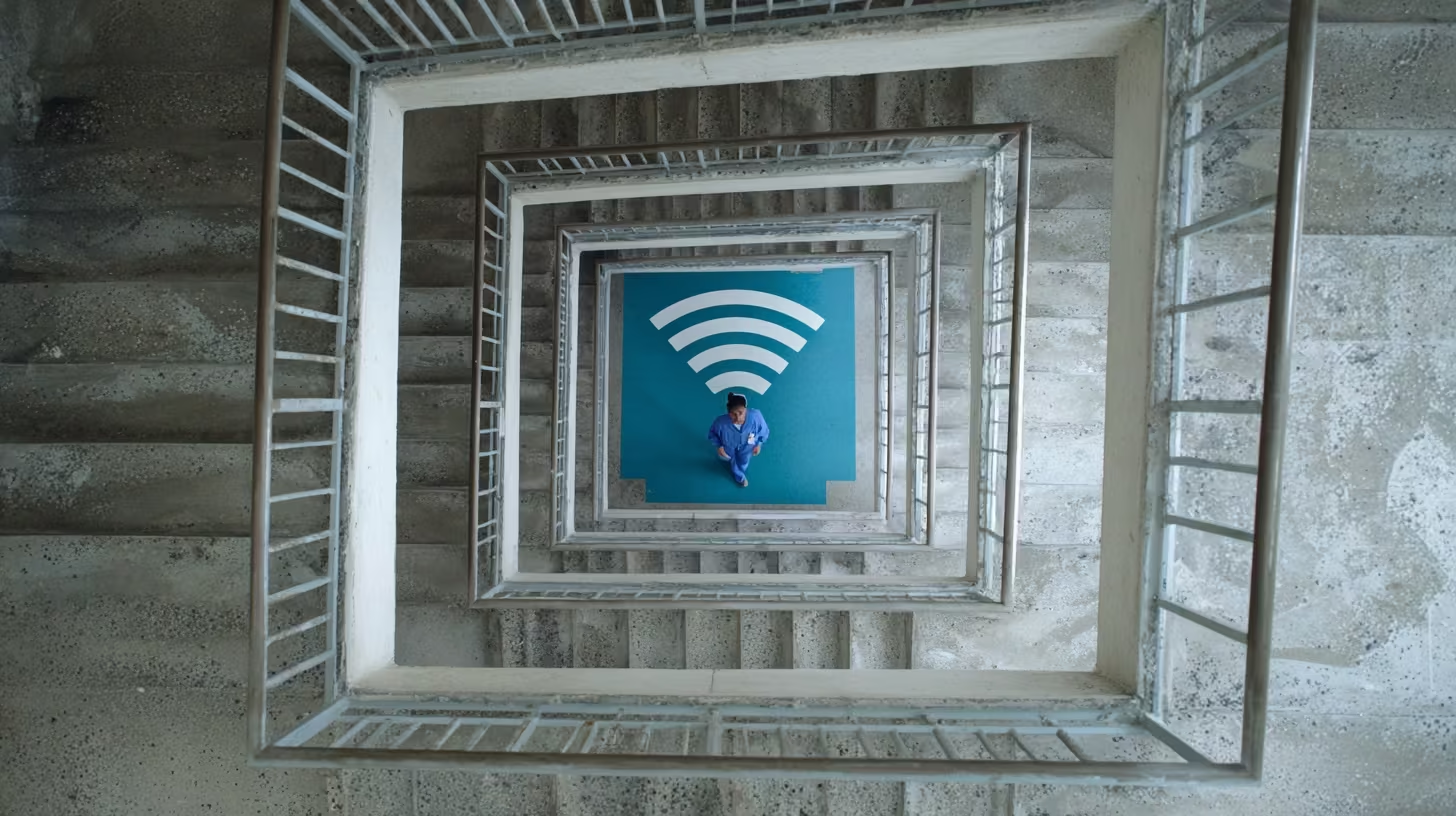
Bluetooth panic button comparison stairwell with diminishing WiFi bars painted on each landing

Key Takeaways

  • The building materials that define behavioral health facilities block WiFi signals, creating dead zones in the exact locations where staff face the greatest risk.
  • A bluetooth panic button comparison across WiFi-dependent, hardwired, and standalone BLE mesh architectures shows that each carries a structural limitation that determines where it works and where it fails.
  • The architecture that fits your facility depends on your building construction, your coverage needs, and the technology resources you can realistically commit.

The dead zones in your facility tell the real story. The stairwell where WiFi drops. The parking lot where coverage ends at the building wall. The older wing where concrete and steel block signals that work fine in the administrative corridor. These are where staff get hurt, and where a bluetooth panic button comparison actually matters.

In behavioral health settings, violence rates are the highest in healthcare [1]. Those incidents cluster in the spots where coverage is weakest. Comparing WiFi-dependent, hardwired, and standalone BLE mesh architectures against those realities reveals which systems work in your environment and which don’t.

Why the Architecture Choice Determines Coverage

Behavioral health facilities operate in buildings designed to contain patients, not transmit wireless signals. Concrete block walls, metal framing, reinforced doors, and lead-lined barriers all weaken WiFi significantly [2]. The effect compounds through multiple barriers: a locked unit behind two corridor walls and a fire door blocks enough signal to turn a covered hallway into a dead zone.

These are permanent features of the buildings, not problems a network upgrade solves. The architecture you choose for your safety system either works within those constraints or fails against them.

Joint Commission standards effective July 2024 require behavioral health facilities to prove safety system coverage throughout all areas where staff work, including outdoor areas and parking facilities [3]. The architecture determines whether your system meets that standard or leaves documented gaps.

Bluetooth Panic Button Comparison: Three Architectures

The following table maps each architecture against the dimensions CTOs evaluate during selection.

DimensionWiFi-DependentHardwired (IR)Standalone BLE Mesh
CoverageLimited to WiFi footprint; dead zones in stairwells, parking, outdoorsBuilding interior only; no outdoor coverageFull facility including parking lots, stairwells, outdoor areas [4]
ReliabilityFails during network outagesInterference-proof within covered areasSelf-healing mesh; 99.9% SLA-verified uptime [4]
Infrastructure dependencyRequires robust WiFi; adds load to clinical networkRequires cable runs to every roomIndependent network; no hospital LAN connection
Deployment timelineWeeks if WiFi adequate; months if upgrades neededSeveral months to over a year [5]Days to weeks [6]
Failure modeNetwork outage = system outageCable damage = room outageNode failure triggers automatic reroute
Published reliability dataNone documentedNone documented99.9% uptime [4]

Two patterns stand out. WiFi-dependent and hardwired systems each carry a structural limitation that can’t be engineered away: WiFi fails during outages, and hardwired can’t extend outdoors.

The 99.9% uptime figure comes from a single vendor’s deployment data [4]. No independent third-party audit has been published, and competitors haven’t documented equivalent metrics. That asymmetry makes a true side-by-side reliability comparison difficult. It also raises a fair question: why hasn’t the rest of the category published anything?

Performance Under Stress

The real test of any architecture is what happens when conditions deteriorate.

Stress ScenarioWiFi-DependentHardwiredStandalone BLE Mesh
Facility-wide power outageFails unless access points are on backup generators (many aren’t)Operates on backup power if availableBattery backup with six to eight hours of operation [4]
Network outage (ISP, switching, or infrastructure failure)Complete system failureUnaffected (no network dependency)Unaffected (standalone private network)
Single node/device failureConnected devices lose coverage until reconnectionRoom loses coverage until cable repairMesh routes around failed node automatically
Dense construction interferenceSignal degrades proportionally; dead zones expandNot affected by wireless interferenceMesh relays through multiple paths [7]

Healthcare facilities experience more than seven power events per year in core systems, with nearly five total facility shutdowns annually [8]. These are annual events, not edge cases.

During a documented four-hour power outage, one BLE mesh deployment operated continuously with up to eight hours of battery reserve while WiFi went dark [4]. That’s the difference between an architecture that depends on facility infrastructure and one that doesn’t.

What Each Architecture Demands From Your Technology Team

Behavioral health technology budgets run 15 to 25 percent below comparable acute care hospitals on a per-bed basis [9]. The architecture you select has to fit the resources you actually have.

FactorWiFi-DependentHardwiredStandalone BLE Mesh
Infrastructure requiredWiFi upgrades if coverage inadequateCable runs, wall penetration, conduitBattery-powered beacons; adhesive mounting
Typical timeline8–16 weeks if WiFi adequateSeveral months to over a yearDays to weeks
Technology team burdenNetwork configuration; ongoing WiFi managementMinimal post-installMinimal; self-monitoring
Retrofit cost premium25–40% above new construction [10]25–40% above new construction [10]None
Ongoing maintenanceWiFi network maintenanceCable inspection; rewiring for changesBattery replacement every two to three years
Per-badge costVaries by vendorSignificant infrastructure investment$182 per badge [4]

For facilities facing Joint Commission survey timelines or responding to incident trends, deployment speed determines how long the coverage gap stays open. Days-to-weeks timelines assume the vendor walks the facility first, not just ships hardware.

See how one behavioral health provider documented these results across their facilities.

Which Architecture Fits Your Facility

The right answer depends on your building, not your preferences. This framework maps the assessment.

DimensionAssessment QuestionsArchitecture Implications
Building constructionWhat decade were your buildings constructed? Do you have concrete or steel construction?Older buildings with dense materials favor standalone wireless over WiFi dependency
Network maturityWhat percentage of your facility has reliable WiFi? Do dead zones exist in stairwells, basements, parking?Significant dead zones favor standalone wireless or hardwired
Coverage needsDo staff work in parking lots, outdoor areas, transition zones? Do you need coverage during power outages?Outdoor needs eliminate hardwired; outage needs eliminate WiFi-dependent
Technology resourcesWhat’s your team’s capacity for new projects? Can you support months-long installation?Resource constraints favor infrastructure-light deployment
Budget structureDo you have capital budget for infrastructure, or need a lower-cost deployment?Hardwired requires significant capital; standalone wireless minimizes infrastructure investment

Many facilities discover their infrastructure constraints eliminate one or two options before technical evaluation begins. If your buildings are older than 30 years, you need outdoor coverage, and your technology team is stretched, the comparison narrows quickly.

The bluetooth panic button comparison that matters is the one measured against your walls, your dead zones, and the locations where your staff actually work. The stairwell where WiFi drops and the parking lot where coverage ends at the building wall are the evaluation criteria, not problems to solve later.

ARCHITECTURE COMPARISON

Which Architecture Fits Your Facility?

Compare WiFi-dependent, hardwired, and standalone BLE mesh against your building, your dead zones, and your technology resources.

References

  1. Sheps Center UNC. https://www.shepscenter.unc.edu/wp-content/uploads/2025/01/Y10.01_Brief-1.pdf
  2. Wilson Connectivity. https://www.wilsonconnectivity.com/blog/3-ways-to-improve-cell-signal-in-metal-and-concrete-buildings
  3. Joint Commission. https://www.jointcommission.org/en-us/standards
  4. ROAR for Good – Internal Data, 2024.
  5. Verkada. https://info.verkada.com/alarms/wired-vs-wireless-alarm-systems/
  6. Link Labs. https://www.link-labs.com/blog/the-truth-about-bluetooth-low-energy-range-for-asset-tracking
  7. NCBI. https://pmc.ncbi.nlm.nih.gov/articles/PMC9965677/
  8. Vertiv / Ponemon Institute. https://www.vertiv.com/490372/globalassets/documents/reports/ponemon/vertiv-ponemon-data-center-downtime-survey-report_321974_0.pdf
  9. JMIR Publications. https://www.jmir.org/2025/1/e70856
  10. The Network Installers. https://thenetworkinstallers.com/blog/small-business-network-setup-cost/

IT Planning Brief: Bluetooth Panic Button Architecture

Two hospital wing models comparing tangled wired network versus clean beacon coverage

Key Takeaways

  • The coverage gaps on your RF heat map are the same locations on your incident reports, and that overlap is the strongest argument for infrastructure-independent safety architecture.
  • Presenting the case internally requires translating technical architecture into risk reduction, cost comparison, and documented performance evidence leadership can act on.
  • The most common objections from leadership have clear, evidence-backed answers that a prepared CTO can address in a single meeting.

Your CSO requests safety coverage in the B-wing stairwell. Your RF heat map confirms it is a dead zone. The vendor’s WiFi-dependent system cannot reach it.

This bluetooth panic button technical brief helps you package that problem and its solution into an internal recommendation your leadership team can approve.

The Risk Your Current System Creates

Psychiatric aides experience workplace violence at 543.6 cases per 10,000 workers, the highest rate of any occupational group [1]. The incidents concentrate in stairwells, seclusion rooms, and outdoor walkways where WiFi coverage is weakest.

Behavioral health facilities are built with concrete, metal-reinforced doors, and ligature-resistant construction that blocks wireless signals [2]. More than 200 U.S. counties lack reliable broadband for healthcare operations [3]. The coverage gaps align almost perfectly with the locations where incidents happen.

For leadership, the framing is straightforward: the safety system you approved works in the administrative corridors. It fails in the stairwell where your staff member was assaulted last quarter. That is an organizational risk, not a technology inconvenience.

The Architecture Difference in One Paragraph

BLE mesh architecture runs on its own private network, completely independent of facility WiFi. Battery-powered beacons form a self-healing mesh that covers every area of the facility, including parking lots, stairwells, and outdoor zones WiFi cannot reach. During a four-hour power outage at one facility, the mesh kept operating while WiFi went down [4]. For the full technical comparison of WiFi-dependent, hardwired, and BLE mesh approaches, see the bluetooth panic button guide.

The Evidence Summary for Your Recommendation

When you present to leadership, these are the numbers that matter:

What Leadership AsksWhat You Can Show
Does it actually work in our dead zones?100% facility coverage verified through site surveys with room-level accuracy, including parking lots, stairwells, and outdoor areas [4]
How reliable is it?99.9% SLA-verified uptime across behavioral health deployments, meeting the healthcare life-safety threshold [4][5]
What happens during a power outage?BLE mesh operated through a 4-hour outage with 6 to 8 hours of battery backup [4]
What does it cost?$182 per badge, with no wiring, no construction, and no clinical network changes [4]
How fast can we deploy?Days of beacon placement, with zero disruption to patient care [4]
Does it add risk to our network?Runs on a dedicated private network with HITRUST r2 and SOC 2 Type II certification, completely separate from clinical systems [4][6]

See how one behavioral health provider documented these results across their facilities.

Objections You Will Hear (And How to Address Them)

“Why can’t we just extend WiFi to those areas?”

The construction materials that create dead zones (concrete, metal-reinforced doors, ligature-resistant hardware) are permanent features of behavioral health facilities [2]. Adding access points helps in some areas but cannot solve structural signal loss through dense walls and locked doors. The dead zones are architectural, not coverage configuration problems.

“What about our existing investment in WiFi infrastructure?”

BLE mesh runs on a separate private network. It does not replace, modify, or add load to your existing WiFi. Your current infrastructure stays exactly as it is. The mesh operates alongside it for safety-specific functions only.

“You are not asking leadership to approve a purchase. You are asking them to approve a site assessment that will confirm whether the coverage gaps on your heat map match the incident patterns in your data.”

“What is the ongoing maintenance burden for our technology staff?”

Battery-powered beacons last multiple years between replacements. The mesh is self-healing, meaning it reroutes automatically when a beacon goes down. There is no ongoing network management, no access point monitoring, and no clinical system integration burden beyond initial setup.

“How do we know the vendor’s claims hold up?”

Request documented, SLA-verified uptime from comparable behavioral health deployments. Require a site survey conducted under realistic conditions (doors locked, equipment running). Ask for evidence from an actual power outage event. The CTO evaluation checklist provides the full framework for verifying vendor claims.

The coverage gaps on your heat map already tell the story. See what closing those gaps looks like with a site assessment.

Contact Us

How to Structure the Recommendation

Your internal brief should fit on one page and cover five points:

  • The problem: Dead zones on your RF heat map overlap with high-incident locations. Your current safety system fails in those areas.
  • The risk: Staff are unprotected in the locations where violence is most likely. Regulatory standards now require documented coverage across all facility areas [7].
  • The solution: Infrastructure-independent BLE mesh architecture that covers every zone without touching your clinical network.
  • The evidence: Documented uptime, coverage, and deployment data from comparable behavioral health facilities.
  • The ask: Approval to proceed with a site assessment that documents your specific coverage gaps before any deployment commitment.

That last point matters. You are not asking leadership to approve a purchase. You are asking them to approve a site assessment that will confirm whether the coverage gaps on your heat map match the incident patterns in your data. The evidence does the rest.

SITE ASSESSMENT

Ready to Build the Internal Case?

ROAR's behavioral health technology specialists help CTOs document coverage gaps and build the evidence brief for leadership approval. Start with a site assessment that confirms whether your dead zones match your incident data.

References

  1. Bureau of Labor Statistics. Workplace Violence in Healthcare and Social Assistance: 2021-2022. https://www.bls.gov/iif/factsheets/workplace-violence-2021-2022.htm
  2. Comport. Before Breaking Ground: How Wireless Assessments Enhance Networks in Healthcare. https://comport.com/resources/healthcare-it-services/before-breaking-ground-how-wireless-assessments-enhance-networks-in-healthcare/
  3. KFF Health News. Dead Zone: Rural Hospitals, Outdated Internet. https://kffhealthnews.org/news/article/dead-zone-rural-hospitals-outdated-internet-disconnect-care-disparities/
  4. ROAR for Good. Internal Data, 2024.
  5. Web Alert. Uptime SLA Explained: 99.9% vs 99.99% Availability. https://web-alert.io/blog/uptime-sla-explained-99-9-vs-99-99-availability
  6. HITRUST Alliance. https://hitrustalliance.net
  7. The Joint Commission. Workplace Violence Prevention Program. https://www.jointcommission.org/en-us/knowledge-library/workforce-safety-and-well-being-resource-center/workplace-violence-prevention/workplace-violence-prevention-program

Peer CTO Panic Button Insights: Evaluation Criteria

CTO verifying panic button signal coverage in hospital stairwell with signal meter

Key Takeaways

  • Technology leaders at behavioral health facilities are shifting their evaluations from feature comparisons to infrastructure independence, driven by the overlap between dead zones and incident locations.
  • The peer benchmark for approval is documented evidence from comparable deployments, not vendor targets or portfolio-wide averages.
  • Behavioral health facilities with limited technology staff are choosing architecture that deploys in days and runs independently, because evaluation cycles that stall for months never reach deployment.

Your coverage map looks great on paper. Then you pull up the incident data and realize assaults cluster in the exact spots where WiFi drops: stairwells, parking lots, the walkway between buildings.

That is the gap peer CTOs at behavioral health facilities keep running into. And it is why peer CTOs have landed on a consistent approach to evaluating WiFi-independent safety systems.

Why the Coverage Map Stopped Being Enough

The infrastructure behind this shift is straightforward. Healthcare facility age metrics have risen from 8.6 years in 1994 to over 11 years by 2015, with many buildings past the point where infrastructure works reliably [1].

These buildings were built for durability and patient safety. Wireless signals were never part of the design. WiFi coverage maps rarely align with incident location data.

Government-sector mental health workers experience the highest rate of nonfatal workplace violence at 77.1 incidents per 1,000 workers [2]. Those incidents concentrate where WiFi coverage fails: stairwells, parking lots, outdoor transition areas, and older wings with dense construction materials [3].

“The moment that changes the conversation is the overlay. Pull up heat maps of where assaults occur, then lay WiFi signal strength over the same corridors and stairwells. The gaps line up almost perfectly.”

The moment that changes the conversation is the overlay. Pull up heat maps of where assaults occur, then lay WiFi signal strength over the same corridors and stairwells. The gaps line up almost perfectly. That single visualization moves the evaluation from “we should look into this” to “we need to solve this.”

What Peer Evaluations Focus On (And What They Skip)

Technology leaders at top-performing facilities follow a consistent evaluation approach. They test five specific claims against documented evidence.

What peers prioritize:

  • Outage records over uptime targets. Peers ask vendors for uptime records from facilities like theirs, not portfolio-wide averages that can mask poor performance at individual sites. The distinction between “targets 99.9%” and “documents 99.9%” is where peer evaluations separate from typical vendor evaluations.
  • Site walkthroughs over coverage diagrams. Peers require signal testing with metal-reinforced doors closed and locked, not propped open during a demo walkthrough. Marketing diagrams do not substitute for someone walking the grounds with a signal meter.
  • Current certifications over compliance roadmaps. Peers require current HITRUST r2 and SOC 2 Type II, independently verifiable. “In progress” is not a certification [4][5].
  • System integration over feature counts. Peers check whether alert data flows to their existing incident management and nurse call systems [6]. A long feature list means nothing if the system cannot connect to the tools your clinical and security teams already use.
  • Comparable facility data over general case studies. Peers ask for site survey results from facilities with similar construction materials, building age, and campus layout to theirs.

For the full evaluation framework covering all five categories with specific evidence requests, see the bluetooth panic button guide. For a step-by-step process to run the evaluation internally, see the CTO evaluation checklist.

What peers stopped doing is equally telling. They stopped asking “what features does it have?” and started asking “can you prove it works in a building like mine?”

The Walkthrough That Changes the Conversation

Peer CTOs describe a consistent pattern when they physically test coverage claims.

The transition zone between a building’s main entrance and the parking structure is often 40 to 60 feet of no coverage under WiFi-dependent systems. Peers who walked this zone with a signal tester found the gap was larger than any vendor diagram suggested.

BLE mesh architecture addresses this differently. Battery-powered beacons placed through the transition zone, parking structure, and outdoor walkways provide coverage without any WiFi dependency. Verified deployments confirm 100% facility coverage through site surveys with room-level accuracy [7].

The power outage test is the other proof point peers cite consistently. During a four-hour power outage at one facility, WiFi access points went down. The BLE mesh kept operating with up to eight hours of battery life [7]. Peers describe that moment as when the architecture difference became real.

See how one behavioral health provider documented these results across their facilities.

Beacon placement eliminates the transition zone vulnerability. But coverage still requires a physical site survey under realistic conditions. Peers who skipped the walkthrough and relied on vendor diagrams regretted it.

Peer CTOs started with one step: overlaying incident data onto their coverage map. See what that analysis reveals for your facility.

Contact Us

How Peers With Stretched Technology Staff Made the Decision

Behavioral health facilities typically run technology operations with 15 to 25 staff, compared to 50 to 100 or more in comparable acute care settings [1]. That number shapes every technology decision.

Peers in this position describe the same calculus: a system that requires months of network planning and ongoing technical maintenance will stall in evaluation indefinitely. Their teams are already stretched. The deciding factor was deployment speed and maintenance burden.

What peers at comparable facilities report from their deployments:

  • Time to value under six months from initial assessment to full operation [7]
  • Zero disruption to patient care during setup [7]
  • No wiring, no network configuration, no additional infrastructure burden on clinical systems
  • Battery-powered beacons with multi-year life, eliminating ongoing maintenance cycles
  • Deployment measured in days of beacon placement, not months of network planning

Results will vary based on facility size, building materials, and how many legacy systems your team already supports. But the peer pattern is clear: leaders chose architecture that could be operational before their next board meeting.

Peer CTOs at top-performing behavioral health facilities share a common approach: they focus on infrastructure independence over vendor promises, require documented performance data over projected targets, and validate coverage through site walkthroughs rather than marketing materials.

PEER INSIGHTS

Ready to See How Your Coverage Compares?

ROAR's behavioral health technology specialists work with CTOs at facilities like yours. For technology leaders evaluating WiFi-independent architecture, we provide site assessments that document coverage gaps before deployment.

References

  1. Henderson Engineers. Healthcare’s Aging Infrastructure Problem. https://www.hendersonengineers.com/insight_article/healthcares-aging-infrastructure-problem/
  2. American Psychiatric Association. Resource Document: Prevention of Patient Assaults. https://www.psychiatry.org/getattachment/b0a01574-03fb-4d11-a4e5-4429ad8f5bcb/Resource-Document-Prevention-of-Patient-Assaults.pdf
  3. KFF Health News. Dead Zone: Rural Hospitals’ Outdated Internet. https://kffhealthnews.org/news/article/dead-zone-rural-hospitals-outdated-internet-disconnect-care-disparities/
  4. Vanta. HITRUST and SOC 2. https://www.vanta.com/collection/hitrust/hitrust-and-soc-2
  5. CensiNet. SOC 2 vs HITRUST: Choosing the Right Certification. https://censinet.com/perspectives/soc-2-vs-hitrust-choosing-the-right-certification
  6. Enter Health. Enhancing Healthcare Integration: REST APIs. https://www.enter.health/post/enhancing-healthcare-integration-rest-apis-speed-scalability-security
  7. ROAR for Good. Internal Data, 2024.

CTO Checklist: How to Evaluate Bluetooth Panic Button Systems

Bluetooth panic button evaluation — nurse in stairwell with dead phone signal and active BLE beacons

Key Takeaways

  • The strongest bluetooth panic button evaluation starts with your own facility data, not a vendor brochure. Overlay your incident locations onto your RF coverage map before the first call.
  • Assign evaluation ownership across CTO, IT Director, CISO, and CSO before engaging vendors so each stakeholder knows what they are validating.
  • Phase deployment by risk priority, starting with the dead zones where incidents already cluster, and set decision gates that require documented evidence rather than projected targets.

Your next bluetooth panic button evaluation will come down to one question: will the system actually work where WiFi does not?

You already know the answer for most of your building. The nurse stations are fine. The admin corridors are fine. But the stairwell behind the locked unit? The outdoor smoking area? The parking garage? Those are the spots where incidents happen. And those are the spots where WiFi drops.

This guide walks through how to run your evaluation as an internal project, from facility assessment through vendor selection to deployment.

Start With Your Facility, Not the Vendor Brochure

Psychiatric and substance abuse hospitals recorded 110.4 violence incidents per 10,000 workers [1]. Emergency departments account for 30% of active shooter incidents in hospitals, followed by patient rooms at 21% and parking lots at 15% [2].

Incidents cluster in stairwells, smoking areas, and the spaces between buildings that never got access points.

Many psychiatric hospitals were built in the 1950s through 1980s using dense materials for durability and security [3]. These buildings were never designed for WiFi. Behavioral health facilities compound the challenge with older IT infrastructure and limited technology staff [3][4].

Any panic button system that depends on facility WiFi inherits every weakness of that network. The locations where coverage fails are precisely where incidents concentrate.

Before evaluating any vendor, check your baseline:

  • Can you produce a current RF heat map showing dead zones overlaid with incident location data from the past 12 months?
  • What percentage of your facility square footage has reliable WiFi coverage in locked-door and outdoor areas?

If you cannot answer both, that is your first action item.

Build Your Coverage Requirements Document

Your evaluation needs a written requirements document before the first vendor conversation. Your IT Director, CISO, and CSO will reference it throughout.

Facility profile (document per building on campus):

  • Construction era and primary materials (concrete block, steel framing, masonry)
  • Number of floors, locked units, and ligature-resistant areas
  • Known dead zones from most recent RF survey
  • Outdoor areas requiring coverage (parking structures, courtyards, walkways between buildings)

Infrastructure constraints:

  • Current WiFi coverage percentage in locked-door and outdoor areas
  • Network capacity for an isolated VLAN, or whether full network independence is required
  • Technology staff capacity for new system deployment and maintenance
  • Electrical infrastructure age and power outage frequency

Performance requirements:

  • Minimum uptime standard (healthcare life-safety threshold is 99.9%) [5]
  • Coverage verification method (site survey with doors closed and locked, not just open)
  • Power independence requirement (how many hours of battery backup given your outage history)
  • Integration needs (EHR, nurse call, dispatch, incident management)

This document becomes the scorecard every vendor is measured against. Without it, evaluations turn into feature comparisons that tell you nothing about whether the system fits your buildings.

Run the Dead Zone / Incident Overlap Analysis

This is the single most valuable pre-evaluation step. It takes one afternoon and changes the entire conversation.

  • Pull 12 months of incident location data from your security director
  • Overlay incident locations onto your current RF heat map
  • Identify your three highest-risk dead zones by comparing where incidents happen most with where signal is weakest
  • Walk those three locations with a signal tester under realistic conditions (doors locked, equipment running)
  • Document findings as a one-page brief with the overlay visualization

The pattern is consistent: the dead zones and the high-incident zones overlap. That overlap is your business case and the first thing you show any vendor.

For multi-site organizations, this analysis must be site-specific. A coverage map from one facility tells you nothing about another.

See how one behavioral health provider used this approach to eliminate coverage gaps across their facilities.

Your dead zone map already tells you where coverage fails. See what closing those gaps looks like with infrastructure-independent architecture.

Contact Us

Structure the Vendor Evaluation

With your requirements document and dead zone analysis complete, you can evaluate vendors against your facility, not their marketing.

BLE mesh architecture operates independently of facility WiFi, using battery-powered beacons that form a self-healing private network. For a detailed comparison of all three architectures, see the bluetooth panic button comparison.

Assign evaluation ownership before your first vendor call:

  • CTO: Define architecture standards, lead vendor assessment, own the final recommendation
  • IT Director: Validate technical specifications against local infrastructure constraints
  • CISO: Review network isolation, encryption standards, and security certifications (require current HITRUST r2 and SOC 2 Type II)
  • CSO: Provide incident location data, validate that coverage maps align with actual risk areas

For the full evaluation checklist covering infrastructure independence, security architecture, integration, reliability, and coverage proof, use the CTO evaluation framework in the bluetooth panic button guide.

The deployment comparison matters for your timeline planning:

FactorBLE Mesh (Battery-Powered)WiFi-Dependent
Installation timeline2-3 days for a 100-room facility [6]Weeks to months including network planning [4]
Wiring requiredNoneAccess point additions, cabling
Clinical network impactZero, operates on isolated network [7]Requires network capacity planning
Ongoing maintenanceRemote firmware updates, multi-year battery life [8]Network monitoring, access point management
Capital expenditure$182 per badge [7]Varies by scope

CNOs report that the biggest deployment friction is scheduling installation around patient census and unit lockdown schedules.

Set the Timeline and Decision Gate

Your bluetooth panic button evaluation should follow a structured timeline with clear decision gates.

Weeks 1-2: Assessment

  • Complete the dead zone / incident overlap analysis
  • Finalize your coverage requirements document
  • Identify your three highest-risk areas for Phase 1 deployment

Weeks 3-4: Vendor engagement

  • Share your requirements document with vendors. Their response to your specific facility constraints, not their standard pitch deck, is the evaluation.
  • Require documented performance data from comparable behavioral health deployments, not projected targets
  • Request a site survey proposal that specifies testing under locked-door conditions

Weeks 5-6: Decision gate

  • Score vendors against your requirements document
  • Confirm that the recommended vendor meets the 99.9% uptime life-safety threshold with documented, not projected, evidence [5]
  • Present recommendation with your dead zone overlay, requirements scorecard, and vendor comparison

Phase 1 deployment: Start with your three highest-risk dead zones. Battery-powered beacons with no wiring enable deployment without clinical disruption [7]. Expand coverage facility-wide in Phase 2 based on Phase 1 results.

You do not need to fix everything before your first vendor call. Start with that RF heat map overlaid with incident data. That single document will tell you more about your bluetooth panic button evaluation priorities than any vendor slide deck.

EVALUATION SUPPORT

Ready to Start Your Bluetooth Panic Button Evaluation?

ROAR's behavioral health technology specialists can walk through your facility constraints and help you build the requirements document before your first vendor call.

References

  1. Sheps Center at UNC. Workplace Violence in Healthcare Brief. https://www.shepscenter.unc.edu/wp-content/uploads/2025/01/Y10.01_Brief-1.pdf
  2. AHA / Harborview. Costs of Violence. https://www.aha.org/costsofviolence
  3. MedCity News. Mind the Gaps: Closing the Digital Divide to Improve Behavioral Healthcare. https://medcitynews.com/2025/12/mind-the-gaps-closing-the-digital-divide-to-improve-behavioral-healthcare/
  4. Silex Technology. Reliable Hospital Wi-Fi. https://www.silextechnology.com/unwired/reliable-hospital-wi-fi-how-purpose-built-connectivity-keeps-patients-safe-and-networks-always-on
  5. Web Alert. Uptime SLA Explained. https://web-alert.io/blog/uptime-sla-explained-99-9-vs-99-99-availability
  6. GAO RFID. Operation, Maintenance and Support of a BLE Beacon. https://gaorfid.com/operation-maintenance-and-support-of-a-ble-beacon/
  7. ROAR for Good. Internal Data, 2024.
  8. Acal BFi. Comprehensive Guide to BLE Applications. https://www.acalbfi.com/news-and-insights/comprehensive-guide-to-ble-applications/

WiFi vs. BLE Mesh: Bluetooth Panic Button Performance Data

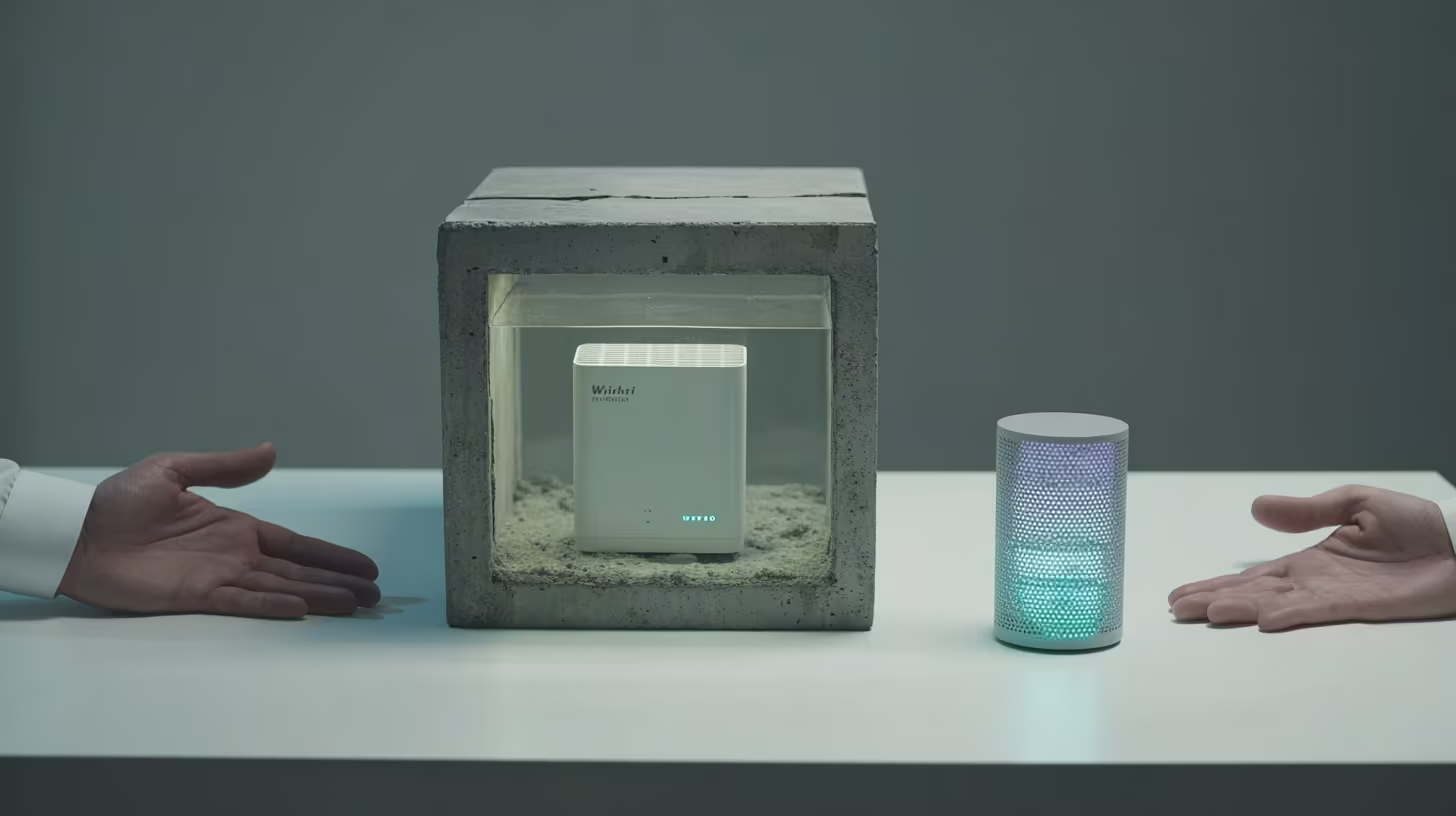
WiFi router trapped in concrete cube beside free purple bluetooth panic button beacon

Key Takeaways

  • WiFi infrastructure falls far short of the uptime threshold healthcare safety systems require, and the gap translates to dozens of hours per year when staff alerts can’t get through.
  • Documented bluetooth panic button data from WiFi-independent deployments shows the only published performance metrics in this category, filling an evidence gap no competitor has addressed.
  • The consolidated numbers tell a single story: WiFi-independent architecture delivers measurable, verifiable reliability in the exact environments where WiFi-dependent systems fail.

WiFi infrastructure in healthcare runs at roughly 95 to 99 percent availability [1]. That sounds acceptable until you calculate what it means: somewhere between 36 and 87 hours per year when a WiFi-dependent safety system can’t process alerts. For behavioral health facilities where violence rates are the highest in healthcare [2], those hours represent gaps in staff protection that no amount of network tuning closes.

This bluetooth panic button data brief compiles the documented performance metrics, the industry benchmarks that contextualize them, and the evidence gap that defines the competitive landscape.

The Cost of WiFi-Dependent Safety Systems

Healthcare mission-critical systems require at least 99.9 percent availability, which allows roughly 52 minutes of downtime per year [1]. WiFi falls short by orders of magnitude. The gap between what WiFi delivers and what safety systems require is measured in days, not minutes.

The cost goes beyond downtime. Healthcare network upgrades run anywhere from $100,000 to $500,000 depending on facility size and building complexity [3]. That investment improves WiFi coverage. It doesn’t fix the structural problem underneath.

Behavioral health facilities use concrete block walls, metal framing, reinforced doors, and lead-lined barriers [4]. These materials are chosen for patient safety and infection control, not wireless performance. Adding more access points to buildings designed to block wireless signals is an ongoing cost with diminishing returns.

Meanwhile, workplace violence costs U.S. hospitals more than $18 billion annually [5]. When staff press a button during those 36 to 87 hours of WiFi downtime, nothing happens.

Bluetooth Panic Button Data: WiFi-Independent Performance

Documented deployment data confirms 99.9 percent SLA-verified uptime, the only published uptime metric in this technology category [6].

MetricDocumented PerformanceWiFi Benchmark
System uptime99.9% SLA-verified [6]95–99% (36–87 hrs downtime/year) [1]
Incident response93% resolved in under 2 minutes [6]Degrades as signal strength drops
Network dependencyZero; standalone private networkRequires hospital LAN
Clinical network impactNoneAdds traffic and added security risk

These metrics reflect a standalone private network operating independently of hospital WiFi. When individual beacons fail, the mesh routes around them automatically. That eliminates the single point of failure that WiFi-dependent designs carry.

The 93 percent resolution rate holds across all facility zones, including areas with the densest construction materials [6]. The remaining incidents still resolve, just outside the two-minute window, typically in outdoor perimeter zones where responder travel distance is the limiting factor rather than system performance.

No competing vendor publishes comparable performance data. That transparency gap is itself informative.

Coverage Where WiFi Can’t Reach

Violence in healthcare doesn’t stay in patient rooms. The highest-risk locations include:

  • Emergency departments (roughly three in ten active shooter incidents in hospitals) [5]
  • Patient rooms (about one in five) [5]
  • Parking lots (about one in seven, and among the most common locations for violent crimes nationally) [5] [7]

A CTO needs verified coverage in every one of these areas.

Psychiatric units present worse wireless conditions than general hospital environments. Dense construction materials chosen for patient containment block signals that other facility types take for granted. Site surveys in behavioral health buildings routinely reveal dead zones within feet of high-risk areas. These are structural realities of the buildings, not gaps in technology planning.

Documented BLE mesh deployments deliver 100 percent facility coverage verified through site surveys, including parking lots, stairwells, and outdoor areas where WiFi doesn’t reach [6]. Alert-log analytics confirm consistent response times regardless of zone [6].

One qualification: “100% coverage” means verified during the site survey. Facilities that undergo significant construction or layout changes after the survey would need re-verification.

See how one behavioral health provider documented these results across their facilities.

What Happens When the Power Goes Out

Healthcare facilities experience more than seven power events per facility per year in core systems, with nearly five total facility shutdowns annually [8]. When backup generators fail or extreme weather takes down power infrastructure, WiFi-dependent safety systems fail at the same moment staff need them most.

Documented deployment data shows uninterrupted operation during a four-hour power outage, with fully charged devices lasting six to eight hours on battery [6]. Battery-powered beacons require no wiring. The mesh keeps processing alerts independent of facility power and network infrastructure.

One practical note: the six-to-eight-hour window assumes devices started fully charged. Facilities running consecutive shifts without a charging protocol could see shorter runtimes. The architecture holds up under stress, but it still requires basic operational discipline around charging.

If you need documented performance data for your business case, we can walk you through what these numbers look like at your facility.

Contact Us

The Evidence Summary: What the Numbers Prove Together

CategoryMetricValue
UptimeSLA-verified availability99.9% (52 min downtime/year) [6]
CoverageFacility zone verification100%, verified in site surveys [6]
ResponseIncidents resolved under 2 min93% [6]
Battery backupOperation during power outage6–8 hours [6]
Deployment costPer-badge capex$182 [6]
Time to valueFull deploymentUnder 6 months [6]
RegulatoryJoint Commission/OSHA audits100% passed, zero citations [6]

Each row answers a question an executive or a surveyor will ask. Together they prove four things:

  • Uptime that meets the healthcare mission-critical threshold WiFi can’t reach
  • Coverage verified in every zone, including the ones WiFi-dependent systems miss
  • Resilience through power outages that take down WiFi and facility networks
  • Deployment cost and timeline that fit behavioral health budgets

The evidence gap matters as much as the evidence itself. No competing vendor publishes comparable bluetooth panic button data across infrastructure types. Facilities evaluating alternatives are comparing documented performance against vendor projections, not against equivalent published data. That gap is the strongest argument in the business case: you can verify these numbers. Ask any competing vendor to match them.

The bluetooth panic button data compiled here is documented, not claimed. For CTOs building the business case for WiFi-independent safety architecture, these are the numbers that hold up under scrutiny.

PERFORMANCE DATA

The Numbers That Hold Up Under Scrutiny

Documented bluetooth panic button data: 99.9% uptime, 100% verified coverage, and proven operation through power outages. No competing vendor publishes comparable metrics.

References

  1. Bubobot. https://bubobot.com/blog/understanding-website-uptime-benchmarks-sl-as-and-business-impact
  2. Sheps Center UNC. https://www.shepscenter.unc.edu/wp-content/uploads/2025/01/Y10.01_Brief-1.pdf
  3. Turn-Key Technologies. https://www.turn-keytechnologies.com/blog/article/hospital-wireless-network-updates-what-costs-can-you-expect
  4. NCBI. https://pmc.ncbi.nlm.nih.gov/articles/PMC11946332/
  5. AHA / HIPRC. https://www.aha.org/costsofviolence
  6. ROAR for Good – Internal Data, 2024.
  7. LHA Trust Funds. https://lhatrustfunds.com/news/parking-lot-safety
  8. Vertiv / Ponemon Institute. https://www.vertiv.com/490372/globalassets/documents/reports/ponemon/vertiv-ponemon-data-center-downtime-survey-report_321974_0.pdf

Beyond WiFi: Why CTOs Need Bluetooth Panic Button Proof

Split view of same hospital stairwell with and without coverage showing bluetooth panic button confidence

Key Takeaways

  • When a safety system fails in a dead zone, the CTO who approved it owns that failure. Architecture choice is a career decision, not just a technical one.
  • WiFi-dependent systems inherit every coverage gap in your facility, leaving the highest-risk areas unprotected by the technology you signed off on.
  • Documented, independently verifiable performance data across every facility zone is what separates a confident recommendation from a hopeful one.

The dead zones in your facility are not a surprise. You mapped them during the last network assessment. The B-wing stairwell. The parking structure. The outdoor courtyard between buildings. You also know those spots overlap almost perfectly with the highest-risk areas on your incident reports.

The bluetooth panic button confidence you need before recommending a safety system to your executive team requires more than a vendor’s assurance. It requires architecture that works where your network does not reach. And the gap between “works in the demo” and “works at 2 AM in the stairwell” is where reputations get made or quietly destroyed.

The Fear CTOs Carry Quietly

Psychiatric aides experience workplace violence at rates 69 times higher than the national average [1]. When a staff member presses a panic button in a stairwell and nothing happens, the damage extends beyond a single incident.

Only 12 to 23 percent of workplace violence incidents get formally reported [2]. Systems that fail in dead zones reinforce the belief that reporting is futile. That already-low percentage drops even lower. Eventually staff stop carrying the devices altogether.

The Joint Commission released new workplace violence prevention standards for behavioral health settings [3]. The pressure arrives from multiple directions at once:

  • Your board chair asks about accreditation readiness under the new standards
  • Your CNO mentions the incident the system did not catch in the B-wing stairwell
  • Your security director reports that staff in certain areas have stopped carrying the devices because they know the signal will not reach

This is the fear CTOs carry quietly. Not that the technology is flawed in theory. That the physical reality of your facility will expose its limits at the worst possible moment.

No one should face violence because a signal could not reach through a concrete wall.

Why the Problem Feels Personal

The construction materials specified for patient safety are the same materials that block the signals staff depend on for their own protection. Concrete walls, metal-reinforced doors, and security hardware standard in behavioral health create predictable dead zones [4].

Rural and community behavioral health settings face compounding challenges. Some hospitals report internet speeds at a fraction of what modern operations need [5]. Psychiatric and substance abuse hospitals experience violence at 110.4 incidents per 10,000 workers [6].

The locations where WiFi fails and the locations where violence occurs are the same locations, mapped onto the same floor plan. A WiFi-dependent safety system inherits every weakness of your network. Dead zones become safety gaps. Coverage maps become liability maps.

“That shift, from I hope it works there to I can show it works there, is where bluetooth panic button confidence actually begins.”

And those liability maps have your signature on the vendor approval.

What Changes When the Architecture Works Independently

A standalone BLE mesh network operates on a private network independent of hospital WiFi. Battery-powered beacons form a self-healing mesh that reroutes signals automatically when individual nodes fail. No WiFi dependency. No single point of failure.

Verified deployments confirm 100% facility coverage through site surveys with room-level accuracy, including parking lots, stairwells, and outdoor areas WiFi cannot reach [7]. The mesh reconfigures automatically when a beacon fails. No IT ticket. No coverage gap during the reroute.

What that means for the CTO:

  • The B-wing stairwell where your WiFi drops out: now a covered zone
  • The parking lot at shift change: now a covered zone
  • The outdoor courtyard between buildings: now a covered zone
  • Every area on your dead zone map: an area where the system works

That shift, from “I hope it works there” to “I can show it works there,” is where bluetooth panic button confidence actually begins.

The dead zones on your coverage map do not have to stay that way. See what documented coverage looks like across every facility zone.

Contact Us

The Evidence That Protects Your Recommendation

Documented performance separates architectural claims from career-protecting proof.

See how one behavioral health provider documented these results across their facilities.

What Your Board Will AskWhat the Evidence Shows
Does the system stay up?99.9% SLA-verified uptime across behavioral health deployments, meeting the life-safety threshold [7][8]
What happens during a power outage?BLE mesh kept operating through a 4-hour outage, with 6 to 8 hours of battery backup [7]
Does it add risk to our network?HITRUST r2 and SOC 2 Type II certified, zero added security risk to clinical systems [9]
Does it cover the dead zones?100% facility coverage verified through site surveys, including parking lots, stairwells, outdoor areas [7]

These are the numbers that hold up in a board presentation. The kind of evidence that lets a CTO say “I vetted this thoroughly” and mean it.

What This Means for Your Next Executive Review

Behavioral health technology teams are already stretched. BLE mesh beacons deploy with no wiring, no network configuration, and no additional infrastructure burden [10]. Facility managers report zero disruption to patient care during setup [7]. The deployment itself takes days, not months.

The harder question is the one your CNO asks after the next incident in a dead zone. Not “what technology do we have?” but “why does it fail in the places where incidents happen?”

That question has an answer now. BLE mesh architecture works independently of the WiFi infrastructure you already know is insufficient. It delivers documented reliability across every area of your facility, including the ones that keep showing up on incident reports.

Staff who work in the stairwell at 2 AM, the parking lot at shift change, and the courtyard during patient transport deserve a system that works in those locations. Bluetooth panic button confidence comes from architecture that never depends on infrastructure you have already mapped as unreliable.

Your recommendation should feel as solid as the evidence behind it.

COVERAGE PROOF

Ready to Close the Gap Between Your Dead Zone Map and Your Incident Reports?

ROAR's behavioral health technology specialists understand the infrastructure constraints that create coverage gaps. For CTOs evaluating WiFi-independent architecture, we provide site assessments that document dead zones before deployment.

References

  1. Bureau of Labor Statistics. A Look at Violence in the Workplace Against Psychiatric Aides and Psychiatric Technicians. https://www.bls.gov/opub/mlr/2015/article/a-look-at-violence-in-the-workplace-against-psychiatric-aides-and-psychiatric-technicians.htm
  2. American Nurses Association. Unreported Workplace Violence. https://www.nursingworld.org/content-hub/resources/workplace/unreported-workplace-violence—why-is-this-so-common/
  3. The Joint Commission. R3 Report Issue 42. https://www.jointcommission.org/en-us/standards/r3-report/r3-report-42/
  4. Wilson Amplifiers. Building Materials That Kill Your Cell Phone Reception. https://www.wilsonamplifiers.com/blog/11-major-building-materials-that-kill-your-cell-phone-reception/
  5. KFF Health News. Dead Zone: Rural Hospitals’ Outdated Internet. https://kffhealthnews.org/news/article/dead-zone-rural-hospitals-outdated-internet-disconnect-care-disparities/
  6. Sheps Center at UNC. Workplace Violence Brief. https://www.shepscenter.unc.edu/wp-content/uploads/2025/01/Y10.01_Brief-1.pdf
  7. ROAR for Good. Internal Data, 2024.
  8. Web Alert. Uptime SLA Explained. https://web-alert.io/blog/uptime-sla-explained-99-9-vs-99-99-availability
  9. HITRUST Alliance. https://hitrustalliance.net
  10. Silicon Labs. Mesh Network in Industrial and Medical IoT Applications. https://www.silabs.com/applications/mesh-network-in-industrial-and-medical-iot-applications

Bluetooth Panic Button Guide: WiFi-Free Safety Systems

CTO examining bluetooth panic button coverage map with dead zones as physical holes revealing stairwell

Key Takeaways

  • The facilities where staff face the highest risk of violence are built with the same dense materials that block WiFi signals, creating dead zones where safety systems fail silently.
  • BLE mesh architecture operates independently of facility WiFi, forming self-healing networks that provide verified coverage in parking lots, stairwells, and outdoor areas traditional systems cannot reach.
  • Evaluating any bluetooth panic button system requires scrutiny of infrastructure dependency, security architecture, failover design, and documented coverage proof rather than vendor marketing claims.

The locations flagged as highest-risk on incident reports overlap almost perfectly with the locations flagged as dead zones on RF heat maps. Stairwells. Courtyards. Parking lots. Transition corridors between locked units. In behavioral health facilities, the construction that keeps patients safe is the same construction that blocks wireless signals. That overlap is the core infrastructure problem every CTO evaluating a bluetooth panic button system needs to solve.

“The locations flagged as highest-risk on incident reports overlap almost perfectly with the locations flagged as dead zones on RF heat maps.”

Why WiFi-Dependent Safety Systems Fail in Behavioral Health

In 2022, healthcare workers accounted for 73% of all nonfatal workplace violence injuries. The rate: 9.8 per 10,000 workers, compared to 1.9 across all private industry [1]. Psychiatric and substance abuse hospitals face even greater exposure, with 110.4 incidents per 10,000 workers [2]. The Joint Commission released new workplace violence prevention standards in July 2024, specifically for behavioral health and human services organizations [3].

The infrastructure reality is equally clear. Behavioral health facilities have dead zones where WiFi and cellular signals drop out entirely [4]. Concrete pillars can completely stop WiFi signals, and multi-floor buildings with dense interior layouts create areas where signals pass through wall after wall [5]. Psychiatric hospitals operate in older buildings retrofitted for behavioral health, featuring concrete and masonry construction and metal-reinforced doors [6][7].

These are the defining physical traits of the environments where staff safety technology must work. When 81% of workplace violence incidents already go unreported [8], a system that fails silently in a dead zone reinforces the belief that reporting is futile.

See how one behavioral health provider eliminated coverage gaps across their facilities.

If your safety system only works where your WiFi reaches, your highest-risk areas are unprotected. See what complete coverage looks like.

Contact Us

Three Architectural Approaches: BLE Mesh vs. WiFi-Dependent vs. Hardwired

Three fundamental approaches to bluetooth panic button connectivity exist. Each involves genuine tradeoffs.

WiFi-dependent systems use existing wireless networks to transmit alerts. If you already have WiFi, the added infrastructure cost appears low. The limitation: the safety system inherits every weakness of your network. Dead zones become safety gaps. Network congestion delays alerts. Power outages that take down access points take down the safety system at the same time.

Hardwired systems eliminate wireless dependency by running physical cable to each alert point. Within covered rooms, reliability is genuine. The tradeoffs are significant: cable runs, conduit work, and wall penetration in ligature-resistant environments take weeks to months. Outdoor areas, parking lots, stairwells, and transition spaces between buildings cannot be covered. The capital investment is substantial, and expanding coverage to new areas requires new construction.

“During a 4-hour power outage at one facility, the BLE mesh continued operating because its infrastructure does not depend on facility power.”

BLE mesh architecture takes a different approach. Bluetooth Low Energy mesh lets devices relay signals to each other instead of requiring a direct connection to a single access point [9]. BLE signals reach 30 to 100 meters in healthcare buildings, depending on how the beacons are configured [10]. Concrete walls weaken BLE signals by about 10 to 15 dB, and metal-reinforced doors create 20 to 30 dB loss [9]. The mesh compensates by routing signals through multiple beacon paths.

Evaluation CriteriaWiFi-DependentHardwiredBLE Mesh
Infrastructure dependencyRequires existing WiFi coverageRequires physical cable runsBattery-powered beacons, no wiring
Outdoor/parking coverageLimited to WiFi rangeNot feasibleCovered through beacon placement
Deployment timelineDays to weeks (network dependent)Weeks to monthsDays
Power outage behaviorFails when WiFi failsOperates if on backup powerBattery-powered, operates independently
Dead zone handlingMirrors network dead zonesN/A (covered rooms only)Mesh routing around obstacles
Ligature-risk impactMinimal (uses existing infrastructure)Significant (cable runs, wall penetration)Minimal (surface-mounted beacons)

How Bluetooth Panic Buttons Work Without WiFi

The signal path is straightforward: wearable device to BLE beacon mesh to gateway to cloud platform to alert routing. Each layer eliminates single points of failure.

BLE operates on 2.4 GHz using a different transmission protocol than WiFi, designed for low-power operation. Devices spend most of their time in sleep mode between transmissions [11], which is why commercial BLE beacon systems achieve 3-year battery life on standard batteries [12]. No wiring. No electrical infrastructure. No conduit runs through ligature-resistant walls.

The mesh topology is the critical differentiator. When a staff member presses a bluetooth panic button, the signal reaches the nearest beacon, which relays it through the mesh network to a gateway. If a beacon fails, the network automatically reroutes messages through alternative paths without manual setup [13]. Self-healing networks keep working during outages by rerouting signals around any beacon that goes down [14].

During a 4-hour power outage at one facility, the BLE mesh continued operating because its infrastructure does not depend on facility power [15]. WiFi access points were down. Hardwired systems on the same circuit were down. The BLE mesh kept working. Facilities that experience longer outages should verify battery reserves against their specific risk profile.

The BLE mesh operates on a dedicated private network [16]. It does not add traffic to your clinical network or open new entry points for security threats.

Coverage, Uptime, and Performance Data

Technical architecture claims require performance data. CTOs evaluate systems on documented metrics, not vendor assertions.

Coverage: BLE mesh achieves 100% facility coverage verified through site surveys, providing room-level accuracy [15]. Coverage extends to parking lots, stairwells, outdoor courtyards, and transition areas between buildings. CTOs reviewing site survey results should ask whether surveys were conducted with doors in both open and closed positions. Metal-reinforced doors in locked position create meaningfully different signal loss than propped-open doors during a walkthrough.

Uptime: SLA-verified system uptime reaches 99.9% across deployments, independent of WiFi or facility network availability [15]. Healthcare life-safety systems target 99.9% uptime, allowing about 8.76 hours of unplanned downtime annually [17].

Uptime LevelAnnual Downtime AllowedMeets Life-Safety Standard
99.0%87.6 hoursNo
99.5%43.8 hoursNo
99.9%8.76 hoursYes
99.99%52.6 minutesExceeds

The distinction between “targets 99.9%” and “documents 99.9%” is significant. Many vendors state uptime targets. Documented, SLA-verified uptime across actual behavioral health deployments is a different standard of evidence.

Response performance: 93% of incidents resolved in under 2 minutes across all facility areas, including previously uncovered zones [15]. That 93% figure means roughly 7% took longer, and campuses with multiple buildings connected by outdoor walkways will likely see variation in peripheral areas.

Want to understand what this looks like at your facility? Talk to us.

Deployment Without Infrastructure Disruption

BLE mesh operates on dedicated private networks separate from facility WiFi [16], eliminating IT burden on clinical network infrastructure. Self-healing mesh design means built-in backup paths [13], and the network reroutes traffic around failed nodes without manual intervention [14].

The deployment evidence is specific. A facility manager reported no disruption to patient care or additional workload during deployment [15]. Battery-powered beacons with 3-year life require no wiring, and time to value is documented at under 6 months [15].

CNOs report that staff adoption (getting clinicians to actually wear the badges consistently) often takes longer than the technical deployment itself.

TCO ComponentWiFi-DependentHardwiredBLE Mesh
Capital hardwareLow (uses existing WiFi)High (cable, conduit, electrical)$182 per badge [15]
Installation laborLow to moderateHigh (weeks to months)Low (days, no wiring)
Network impactAdds traffic to clinical WiFiNone (dedicated wiring)None (dedicated private network)
Ongoing maintenanceWiFi network maintenance sharedCable and endpoint maintenanceBattery replacement every 3 years
Coverage expansionRequires WiFi extensionRequires new cable runsAdditional beacon placement
Ligature-risk modificationMinimalSignificant (wall penetration)Minimal (surface mount)

Total cost of ownership goes beyond the sticker price, covering deployment, operations, maintenance, and replacement [18]. The $182 per badge CapEx enables direct comparison against infrastructure-heavy alternatives.

Evaluating WiFi-Independent Safety Systems: A CTO Checklist

The following framework separates genuine WiFi independence from marketing claims.

1. Infrastructure Needs

Does the system operate independently of facility WiFi? Ask vendors to specify what happens during a complete WiFi outage. Ask about beacon power needs, battery life, and whether any wiring is required. Ask for deployment timelines for a facility matching your bed count and building construction. Request documented evidence of system behavior during facility power outages.

2. Security Architecture

BLE mesh systems transmit alert data using AES-128 encryption at both the mesh network layer and the application layer [16]. BLE mesh operates on dedicated private networks separate from facility WiFi, so safety systems do not add security risk to clinical infrastructure [16]. Ask vendors for current HITRUST r2 and SOC 2 Type II certifications. Ask about data retention policies and storage location.

3. Integration Capabilities

Ask whether the vendor provides REST API access. Ask about existing EHR integrations, nurse call system compatibility, and dispatch or 911 integration options. Ask how alert data flows to existing systems and whether webhook architecture supports real-time event notification.

4. Reliability Metrics

Request documented uptime SLA, not targets. Ask how the system handles individual beacon failures. Ask about the ongoing maintenance burden: what does your technology staff need to do weekly, monthly, annually?

5. Coverage Proof

Ask how coverage is verified. Site surveys with room-level mapping are the standard for BLE mesh deployments. Ask about parking lots, stairwells, outdoor transition areas, and any location where current WiFi does not reach. Room-level accuracy is the standard for staff duress systems.

CategoryKey QuestionEvidence to Request
InfrastructureWiFi independence during outageDocumented performance during power/network failure
SecurityNetwork isolation from clinical systemsCertification records (HITRUST, SOC 2)
IntegrationAPI-first architectureREST API specs, webhook details
ReliabilityDocumented uptime (not target)SLA-verified uptime metrics across deployments
CoverageDead zone elimination methodSite survey results from comparable facilities

Before your next evaluation meeting, confirm you can answer these:

  • Can you produce a current RF heat map showing dead zones overlaid with incident location data from the past 12 months?
  • Does your vendor’s documented (not projected) uptime meet the 99.9% life-safety threshold across facilities with construction similar to yours?
  • Do you have written confirmation of system behavior during a full facility power outage, backed by evidence from an actual outage event?
  • Can your security team verify that the safety system operates on a network fully isolated from clinical infrastructure, with current HITRUST r2 or SOC 2 Type II certification?
  • Does your site survey protocol test signal propagation with metal-reinforced doors in closed and locked position?

The Architecture Decision That Defines Coverage

The infrastructure constraints that define behavioral health facilities are permanent. Older buildings with concrete and masonry construction. Metal-reinforced doors. Locked units. Outdoor transition areas. These features are not going away.

BLE mesh architecture operates independently of the WiFi infrastructure you may not have, deploys without the IT resources you cannot spare, and delivers documented reliability across every area of your facility, including the ones that show up on both your dead zone map and your incident reports.

Staff who protect patients deserve a bluetooth panic button system built for the buildings they actually work in.

COVERAGE PROOF

Ready to Evaluate WiFi-Independent Architecture?

ROAR's behavioral health technology specialists understand the unique infrastructure challenges of psychiatric facilities. For organizations assessing coverage requirements, we provide site assessments that document dead zones before deployment.

References

  1. Bureau of Labor Statistics. Workplace Violence 2021-2022. https://www.bls.gov/iif/factsheets/workplace-violence-2021-2022.htm
  2. Sheps Center at UNC. Workplace Violence in Healthcare Brief. https://www.shepscenter.unc.edu/wp-content/uploads/2025/01/Y10.01_Brief-1.pdf
  3. Joint Commission. Workplace Violence Prevention Program. https://www.jointcommission.org/en-us/knowledge-library/workforce-safety-and-well-being-resource-center/workplace-violence-prevention/workplace-violence-prevention-program
  4. URAC. Digital Dead Zones Are a Health Equity Issue. https://www.urac.org/blog/digital-dead-zones-are-a-health-equity-issue/
  5. Ekahau. Wi-Fi Design Best Practices. https://www.ekahau.com/blog/wi-fi-design-best-practices/
  6. Behavioral Health Business. Psychiatric Hospitals Buckling Under Historic Pressure. https://bhbusiness.com/2023/07/05/we-dont-have-enough-of-an-infrastructure-psychiatric-hospitals-buckling-under-historic-pressure/
  7. PMC/NCBI. Design of Adult Mental Health Inpatient Facilities. https://pmc.ncbi.nlm.nih.gov/articles/PMC10916155/
  8. AHRQ PSNet. Addressing Workplace Violence and Creating Safer Workplace. https://psnet.ahrq.gov/perspective/addressing-workplace-violence-and-creating-safer-workplace
  9. PMC/NCBI. BLE Mesh Signal Propagation and Relay Capability. https://pmc.ncbi.nlm.nih.gov/articles/PMC9965677/
  10. Acal BFi. Guide to BLE Applications. https://www.acalbfi.com/news-and-insights/comprehensive-guide-to-ble-applications/
  11. ELA Innovation. BLE vs Wi-Fi: What You Need to Know. https://elainnovation.com/en/ble-vs-wi-fi-what-you-need-to-know/
  12. PMC/NCBI. BLE Mesh Sensor Node Battery Lifetime. https://pmc.ncbi.nlm.nih.gov/articles/PMC6427208/
  13. High Tech Security Inc. How Self-Healing Mesh Network Enhances Wireless Security Reliability. https://hightechsecurityinc.com/how-self-healing-mesh-network-enhances-wireless-security-reliability/
  14. State Tech Magazine. Self-Healing Networks: How Are They Used. https://statetechmagazine.com/article/2025/05/self-healing-networks-how-are-they-used-perfcon
  15. ROAR for Good. Internal Data, 2024.
  16. Bubbly Net. Bluetooth Mesh: A Healthier Wireless Option. https://bubblynet.com/blog/bluetooth-mesh-a-healthier-wireless-option
  17. Webalert. Uptime SLA Explained: 99.9% vs 99.99% Availability. https://web-alert.io/blog/uptime-sla-explained-99-9-vs-99-99-availability
  18. Bewaji Healthcare Solutions. Total Cost of Ownership in Healthcare Technology. https://bewajihealth.com/total-cost-of-ownership-in-healthcare-technology-a-comprehensive-guide-to-making-informed-decisions/