
How to Choose Safety Devices for Lone Workers

Employers have a duty of care to keep their employees safe. In order to meet these responsibilities, companies are often required to put a number of safety measures in place. These measures could include providing relevant personal protective equipment (PPE), issuing employees with personal safety devices, or running health and safety training programs.

If a business has employees that regularly work on their own, personal safety devices are often the best option to complement a lone worker safety policy. While PPE and training programs play an important role in creating a culture of safety in the workplace, it’s personal safety devices that allow lone workers to get help quickly if something goes wrong.

What Is a Lone Worker Safety Device?

Lone worker safety devices are devices that help employees working in remote locations to alert their colleagues if they require assistance. These devices can range from a simple mobile app to a high tech wearable panic button. They could even be a simple noise-maker available in retail stores around the country.

Most safety devices have a built-in alarm that can be triggered by the employee if they feel their personal safety is threatened in any way. These threats may come from aggressive customers or guests, workplace accidents or other challenging conditions. A few high-end lone worker safety devices even allow employees to check in with their employers regularly throughout the day. Any missed check-ins can trigger an automatic emergency response.

The provision of these devices will commonly form part of a company’s lone worker safety policy.

How Do Devices Protect Lone Workers?

Different safety devices are designed to protect lone workers in different ways. Some have an in-built gas detector to warn lone workers of potentially dangerous leaks. Some offer fall detection or a man down alarm to alert colleagues to a trip or slip and others have a personal alarm that can be triggered if a lone worker feels threatened.

  • Gas detection
  • Automated check-in
  • Fall detection
  • Panic button

Personal alarm panic buttons are commonly used in hospitals, hotels and other sectors where lone workers are required to work in isolated areas. They’re especially useful in these industries because hospitality and healthcare workers are at an increased risk of experiencing inappropriate or threatening behavior in the workplace.

In many cases, simply introducing safety devices, and advertising this fact to guests, patients, customers, and co-workers, can help to reduce aggressive or inappropriate behavior. People are much less likely to become threatening if they know help is just moments away.

How Do Lone Worker Devices Function?

Most lone-worker safety solutions function by alerting colleagues or security personnel to an emergency situation. Wireless panic buttons for example provide the device monitoring service with the real-time location of the staff member. This allows security personnel, colleagues or the emergency services to reach the employee quickly if the alarm is triggered.

A simple lone worker app will require WIFI or cellular to work, something that’s not always available in isolated areas. Many wireless panic buttons and lone worker alarm devices work via Bluetooth, these can be used in areas of low signal or where WIFI isn’t reliable. Some satellite devices are also available but these are most appropriate for outdoor settings as they require a clear view of the sky.

Most lone worker devices function via:

  • WIFI
  • Bluetooth
  • Cellular signal
  • Satellite

Important Features to Look for in a Lone Worker Safety Device

The safety device you choose for your lone workers will depend on your premises, your location and your exact requirements. The most important features to consider are:

  • Functionality
  • Ease of use
  • Automated check-ins
  • Ability to report and update location accurately

Arguably the most important feature of any safety app, panic button or safety device is good functionality. For their own peace of mind, employees need to know their call for help will always be heard in emergency situations.

If your chosen device works via Bluetooth, make sure it uses a self-healing network with a backup to avoid any dead spots. If you’re relying on text messages, an hourly phone call or a safety app, you’ll need to ensure you have a good phone signal or strong WIFI. If you have areas with low or no signal, your lone workers could struggle to summon help in an emergency.

Lone worker safety solutions should also be easy to use. The simpler the devices are to operate, the easier it will be for employees to trigger them if they need to. Other features like fall detection and automated check-ins can also be useful when being used in remote locations away from the main worksite. These can be especially relevant when employees are operating machinery or working in areas where slips and trips are a hazard.

How to Determine Whether You Need a Lone Worker Safety Device

According to The Occupational Safety and Health Administration (OSHA), all businesses that ask employees to work on their own should create a lone worker safety policy as part of their duty of care. Creating this policy should give you an insight into the risks your lone workers face and help you to decide if introducing a lone worker monitoring system will help to keep them safe.

If you’re still unsure if lone worker monitoring devices are required, you should carry out a full risk assessment of your workplace. This risk assessment should inform your lone worker policy and help you to protect all the people who work for you.

You can find out more about worker protection guidelines on the OSHA website.

As well as carrying out a risk assessment, it’s also a good idea to talk to your employees. Ask them if they would feel safer if issued with a panic button or other personal safety device. Not only will this consultation provide a great opportunity for your staff members to discuss their safety concerns, it will also show your employees that their safety is your top priority.

Lone worker safety devices can help employees operating alone to summon help quickly if they feel threatened, witness inappropriate behavior or suffer an accident or medical emergency in the workplace. They are also useful when a worker encounters someone else in need of assistance, as they are able to call for help without leaving that person alone.

To find out more, and to learn how our wireless panic buttons are already protecting workers across the country, take a look around or get in touch with a member of our team. Request a Demo.
What are the Four Types of Workplace Violence?

According to the National Institute for Occupational Safety and Health (NIOSH), ‘Workplace violence is the act or threat of violence, ranging from verbal abuse to physical assaults directed toward persons at work or on duty’.

Workplace violence can come from customers, co-workers, and strangers and can occur in virtually all professional settings. Understanding this violence is the first step in addressing the issue and keeping your customers and employees safe.

Most companies, especially those that deal directly with the public, focus on keeping their customers safe. Workplace safety for staff, on the other hand, is often a little more problematic. For hotel managers, ensuring your hotel is fully compliant with the latest health and safety laws while also safeguarding workers rights is a considerable job. However, with over 20,000 Americans forced to take days off work due to workplace violence in 2020 alone, the issue is one that all employers need to address.

Four Main Types of Workplace Violence

Type 1 – Criminal Intent

The perpetrator of this type of violence generally won’t have a legitimate relationship with the business or a connection to anyone who works there. Criminal intent is usually associated with crimes like robbery, shoplifting, and trespassing.

An example of this kind of violence would include a person walking into a shop, hotel or restaurant and deciding to rob the cashier or steal items held on the premises. Violence that occurs due to criminal intent is one of the leading causes of workplace homicides.

Type 2 – Client/Customer on Worker

Another common type of workplace violence occurs when a client or customer becomes violent towards an employee. This type of violence often includes verbal abuse and threatening behavior as well as physical assaults. Client or customer violence often occurs when there are disputes over service, products, or money.

This model can also be applied to healthcare settings. For example, when a patient, or one of their family members, becomes aggressive because they believe the treatment they’ve received isn’t good enough, or because they think they have been waiting too long.

Type 3 – Worker on Worker

Worker-on-worker violence often happens when the relationship between co-workers breaks down. This type of violence can be directed towards supervisors, managers or colleagues and can involve threats of violence as well as physical assaults. For example, when an employee becomes physically aggressive with a supervisor because they are denied a promotion or time off.

Type 4 – Personal/Domestic Relationship

The perpetrator of this type of violence often has a personal relationship with an employee at a company but won’t be employed by the business itself. Domestic violence is a common cause of this type of incident. An example would include an estranged partner following an employee into their workplace and assaulting them on the premises.

Factors That Increase the Risk of Workplace Violence

There are a number of risk factors that increase the chances of violent acts occurring in the workplace. Employees may be at increased risk if they:

  • Work alone or in isolated parts of a building
  • Work with people suffering from mental illness
  • Work with people that have substance abuse issues
  • Work in a space that serves alcohol
  • Work in premises where public access is unrestricted
  • Have face-to-face dealings with customers, particularly in a customer service role
  • Work in law enforcement or security
  • Are responsible for guarding valuable property or money
  • Deliver passengers, services, or products

In certain settings, long waiting times, cramped waiting rooms and poor lighting can also increase the risk of violence to workers.

Tips to Prevent Workplace Violence

No one should have to fear for their personal safety when they’re in their work environment. Preventing violent incidents, and improving workplace safety, should therefore be a priority for all employers, regardless of the size of their business or the sector they work in.

Run a Violence Prevention Program

A workplace violence prevention program should include a number of elements including staff training, risk assessment and consultations. All workers on your premises should receive regular training on how to deal with violent or aggressive customers and on what to do if they witness a colleague becoming violent or threatening co-workers.

A violence prevention program for hospitality staff should also include training on how to spot potentially aggressive customers, when to stop serving alcohol, and how to de-escalate a situation.

The Occupational Safety and Health Administration (OSHA), publishes a comprehensive list of workplace violence prevention resources. You can find this information, as well as links to training programs and safety regulations, on the OSHA website.

Instigate a Zero-Tolerance Policy to Workplace Violence

Your zero-tolerance policy should apply to all staff, customers, and patients that use the space. Place notices around your work site to make it clear that violence will not be tolerated and act swiftly and decisively when customer or worker violence does occur.

Install Panic Buttons

Issuing staff with panic buttons is an incredibly effective way of reducing workplace violence. Panic buttons allow members of staff to call for help instantly and silently if they feel threatened or experience a violent incident.

When the staff member activates their panic button, their exact location is sent directly to security staff. These security personnel will then be able to assist the person in distress as quickly as possible. Systems that automatically alert 911 services are also available for organizations that need them. Panic buttons are commonly used in the healthcare industry as well as in hospitality and social service settings.

Although eliminating workplace violence incidents altogether may not be possible, investing in training and security should help to reduce incidents of physical violence and ensure all staff feels as safe as possible when they’re at work.

To learn more about violence prevention, and to find out how our panic buttons are already keeping employees safe, contact a member of our team or read more articles on the ROAR blog today. Request a Demo.

What Is a Wireless Panic Button and How Does It Work?

TLDR
A wireless panic button is a wearable or portable device that allows employees to silently summon help in an emergency by pressing a single button. Used widely in healthcare, hospitality, and other industries where workers face elevated safety risks, panic button systems send real-time location data to security personnel, dramatically reducing response times. With panic button legislation expanding rapidly across states and cities, these systems are increasingly becoming both a safety essential and a compliance requirement.

Panic buttons help to keep employees safe and ensure help is available as quickly as possible in an emergency. Commonly used in both the hospitality and healthcare industries, they allow staff to call for help instantly if they feel threatened or if they suffer a medical emergency.

In fact, panic buttons are so useful and so effective that a growing number of states and cities have passed legislation requiring employers to provide their staff with panic buttons when they’re on the job. While this legislation initially focused on hotels and casinos, it has expanded significantly — with new mandates in 2025 and 2026 covering broader categories of isolated workers across multiple industries.

So, what exactly is a wireless panic button? How does it work? And could it help to keep you, your colleagues, and your staff safe throughout the working day?

What Is a Panic Button?

A panic button is a wearable or portable device, like a key fob, that’s designed to summon help in an emergency situation. Panic buttons allow a person to instantly call for help simply by pushing a button. Panic alarm systems are often rolled out in environments where employees are vulnerable to assault or intimidation, and in situations where staff are regularly required to work alone.

In general, panic buttons issue a silent alarm that alerts security personnel, management or emergency services that an incident is in progress. This silence is crucial as it allows staff to call for help without alerting their assailant. This is important as devices that make loud, sudden sounds, often called ‘screamers’, can aggravate the situation.

How Do Panic Buttons Work?

A panic button works by sending an instant alarm straight to management or security personnel the moment the alert button is triggered. The process is simple:

  1. Employee activates the button — a single press triggers the alert, with no codes or phone calls required
  2. Alert transmits instantly — the signal is sent over a Bluetooth or wi-fi network to security personnel
  3. Real-time location is delivered — security receives the exact location of the person in distress
  4. Responders arrive on scene — precise location data dramatically reduces response times

A high-end panic alarm system may have its own Bluetooth or wireless mesh network to ensure no dead areas or downtime. Installing a comprehensive panic alarm system that covers every inch of your premises will help to protect staff and give employees peace of mind.

See how ROAR’s staff duress system uses Bluetooth mesh technology to deliver precise location data with zero dead zones.

In What Situations Can a Panic Button Help?

There are lots of situations when a wireless panic button can be invaluable. Often, panic buttons are issued to people working in environments that make them vulnerable to attack, injury or intimidation. For example, housekeepers working alone in guest rooms are at a significantly increased risk of experiencing assault and inappropriate behavior from hotel guests.

Research has consistently shown that harassment is endemic in hospitality — 58% of housekeepers in Seattle reported experiencing some form of harassment during their careers, while a separate study estimated that 8 out of 10 hotel workers had been harassed.

As a result of this high rate of assault, housekeepers across the country have pushed for panic button systems to become compulsory in the hospitality industry. Without a panic button alert system in place, it can be incredibly difficult for workers to call for help, especially when they’re alone. Panic buttons allow these staff members to summon assistance quickly and silently, something that can have a huge impact on both personal safety and the overall safety of the industry.

Another common reason to invest in a panic button system is to minimize response times in case of a medical emergency. Slips, trips, and falls remain among the leading causes of workplace injury, with nearly 480,000 cases requiring days away from work in 2023-2024. If an accident happens when an employee is on their own, it can be difficult for them to get the medical assistance they need.

Types of Panic Buttons

There are three main types of panic buttons available:

TypeBest ForHow It WorksLimitations
Wearable panic buttonsMobile employees (housekeepers, nurses, lone workers)Bluetooth/wi-fi signal sends location to securityRequires infrastructure (beacons or network)
Panic button appsPrivate users, small operationsSmartphone-based alerts with location sharingDepends on phone signal; slower activation
Fixed panic buttonsStationary workstations, reception desksWall-mounted button sends signal to securityOnly usable at the installed location

Wearable Panic Buttons

Wearable panic buttons generally work over Bluetooth or wi-fi and are ideal for employees, like housekeepers, that are on the move throughout the working day. They allow instant activation and make it quick, easy and safe for lone workers to call for help if they feel threatened. These types of systems are often installed in commercial premises like hotels, casinos and healthcare centers.

Panic Button Apps

Panic button apps are a cheap and easy option for people who want to be able to call for help quickly. Features vary, but most of these apps allow the user to send pre-customized texts to specific contacts as well as messages showing their location at set intervals. Some also emit a loud sound, like a screamer, in the event of attack. Some paid apps are connected to a monitoring center for extra reassurance.

While these apps can be useful, they don’t provide the same instant call for help as wearable panic buttons. They can also be unusable in areas without phone signal or wi-fi. In general, apps are more suited to private users than commercial clients.

Fixed Panic Buttons

Fixed panic buttons are secured to the wall of the premises. Like wearable alarms, fixed push buttons send a signal directly to security personnel or emergency services. As these alarms are fixed in place, they’re best suited to environments where employees are in set locations and where buttons can be quickly and easily accessed.

In some cases, fixed panic buttons can be used to create a home security system. This is most commonly found in cases where a person has health issues that make them vulnerable to medical emergencies.

Panic buttons equipped to notify 911 have also recently become available in the marketplace.

Researching panic button systems for your organization? See how ROAR compares.

Request a Demo

Who Should Have a Panic Button?

Panic buttons can be useful for employees in a wide variety of industries. Some of the most common situations that require the provision of a panic button are:

  • Housekeepers working alone in hotel rooms
  • Healthcare workers at risk of assault
  • Lone workers that are required to operate in remote parts of a premises
  • Employees with health conditions that may require emergency care
  • Staff working with dangerous equipment at risk of injury
  • People employed to handle valuables

In all these cases, access to a wearable panic button can make a huge difference in the event of an accident or assault. Providing employees with a panic button will also show them that their personal safety is important and that their well-being is valued.

Panic Button Laws and Compliance

All employers have a legal duty of care to their employees. This includes people required to operate alone for all or part of their working day. A growing number of states and cities have introduced legislation requiring certain employers to issue their at-risk employees with panic alarms — and the pace of new mandates has accelerated significantly in 2025 and 2026.

States and cities with panic button mandates currently in effect:

JurisdictionLegislationEffective
Statewide
WashingtonHB 1524 — covers isolated employees across hotels, retail, security, property servicesJanuary 2026
New JerseySenate No. 2986January 2020
IllinoisHotel and Casino Employee Safety ActIn effect
City / County
New York CitySafe Hotels ActMay 2025
ChicagoEmployee Safety OrdinanceIn effect
SeattleHotel Employees Health and Safety InitiativeJuly 2020
Miami BeachPanic Button OrdinanceAugust 2019
Los AngelesHotel Worker Protection OrdinanceAugust 2022
Long Beach, CAEmployee Safety OrdinanceIn effect
West Hollywood, CAEmployee Safety OrdinanceIn effect
Oakland, CAEmployee Safety OrdinanceIn effect
Anaheim, CAEmployee Safety OrdinanceIn effect
Santa Monica, CAEmployee Safety OrdinanceIn effect
Sacramento, CAEmployee Safety OrdinanceIn effect
Glendale, CAEmployee Safety OrdinanceIn effect
Irvine, CAEmployee Safety OrdinanceIn effect

Companies that require their employees to work alone on a regular basis should also create a lone worker safety policy. This document should assess and address the safety issues faced by people operating on their own.

Whether legislation requires it or not, providing lone workers with panic buttons is an effective way of preventing assaults and intimidating behavior. Panic button programs can also help to create a culture of safety within a workplace and ensure employees know that their personal security is a high priority.

SAFETY TECHNOLOGY

Find the Right Panic Button System for Your Organization

Whether you need wearable devices for healthcare workers, hotel staff, or lone workers, ROAR provides a complete staff duress system with real-time location tracking and zero dead zones.

Lone Worker Safety Policy — Everything You Need to Know

People are required to work alone in roles across all industries. Whether it’s housekeepers cleaning remote areas of hotels, nurses caring for patients in private rooms or retail workers operating remote locations single-handedly, millions of people spend at least a portion of their day without any co-workers nearby.

Lone working can put employees at increased risk of suffering workplace injury and workplace violence. People working alone can be an easy target for aggressive customers and passersby. They can also find it difficult to summon help when they suffer an accident in the workplace. According to the Bureau of Labor Statistics, the leading causes of non-fatal injury among US workers in 2019 were slips, trips, and falls. The second-most common cause was being struck by a moving object.

Addressing these safety issues with a comprehensive lone worker safety policy will mitigate the risks faced by your employees. This can help to keep all of your workers safe, no matter their location, working conditions, or responsibilities.

What is a Lone Worker Safety Policy?

A lone worker safety policy is essentially a thorough risk assessment that focuses on the particular health and safety issues faced by lone workers. A lone worker safety policy should clearly identify the risks faced by employees working alone.

It should also provide detailed information on how workers can minimize these risks and the measures the employer will take to keep workers safe. The policy can also be used to detail any relevant safety training required by the organization and to show the employer’s commitment to workplace safety.

Why Do You Need a Lone Working Safety Policy?

The health and safety of employees should be an organization’s top priority. All employees, including lone workers, deserve the same protections, no matter their working environment.

The number of lone workers in the US is increasing fast. For example, prior to the Covid-19 pandemic, just 17% of US workers reported working from home five days a week. Now that figure is 44%.

As well as this legion of home workers, millions more work alone in retail spaces, healthcare settings, hotels and other businesses in the hospitality industry. Not having a co-worker nearby can put these employees at increased risk. For instance, it can be difficult – or even impossible – to summon help if a customer, guest or patient becomes aggressive or acts in a threatening manner.

If a lone worker is incapacitated by a slip, trip, or fall, or suffers another workplace injury, they may be unable to call for help or summon an emergency response. This can delay essential medical treatment and result in a more significant incident.

Creating a lone working policy can help to protect these high-risk employees. Identifying specific issues, and describing the safety measures that are in place to reduce inherent risks, lone worker safety policies are essential for all businesses that require their employees to operate alone.

The Important Elements of a Lone Worker Safety Policy

The safety risks that lone workers face are specific to their locations, their responsibilities, and their working conditions. Because of these variables, all lone worker safety policies need to be customized to the specific occupational safety issues that affect your organization and your employees.

A lone worker safety policy should contain a number of key elements. These include:

  • Showing the organization’s commitment to creating a safe working environment
  • Making employees aware of the specific risks they face when working alone
  • Detailing the steps that workers can take to minimize risks
  • Providing information on incident reporting procedures
  • Giving employees a clear channel of communication through which they can report safety concerns

Demonstrating a commitment to creating a safe working environment is important as it fosters engagement with employees and gives direction to line managers when rolling out safety procedures.

Your lone worker safety policy should begin with a clear statement outlining your organization’s commitment to lone worker safety and the steps you intend to take to mitigate the risks lone workers face and improve well-being for all of your employees.

One of the most important functions of a lone worker safety policy is to make employees aware of the specific risks they face in their place of work. Understanding the risks involved in their work can help employees to better protect themselves and to be more alert when carrying out potentially dangerous tasks.

A good lone worker policy should detail the steps that employees, managers and the organization will take to minimize risk and reduce injury in the workplace. These measures could include providing relevant personal protective equipment (PPE), issuing employees with personal safety devices or running health and safety training programs.

Your policy might also detail a lone worker check-in process through which employees can use a cell phone to contact their managers at set intervals. If a check-in is missed, the manager will automatically be alerted that something is wrong.

Reporting incidents that do occur in the workplace is an important part of improving worker safety. Your lone worker safety policy should include information on how to report a slip, trip, fall or any other type of accident or incident. Reporting these incidents can help to enhance understanding of the risks lone workers face and, in turn, improve the management of health and safety issues in the workplace.

Lastly, your policy should include information on who employees should contact in case of an emergency and who they should speak to if they have any concerns about their safety. Providing a phone number for workers to call will help to ensure good, open communication between employees and managers and create a positive, safe, working environment.

Steps for Creating Your Lone Worker Policy

As all workplaces are different, there isn’t a set policy template to follow. Instead, your policy will need to be created, adapted, and customized to suit your organization.

Identify Lone Worker Roles

The first step in creating a comprehensive lone worker policy is to identify the lone worker roles within your organization. This may be more complicated that it first seems as, while some roles – like delivery driver, at home health worker or lone shop assistant – may be obvious, others are less clear cut.

For example, if you run a hotel, there may be housekeepers or maintenance staff that work alone periodically. These employees will also need to be covered by your policy.

A good way to get a clearer picture of the lone workers in your organization is to survey your employees. Ask them if they ever work alone, how long they’re alone for and if co-workers are within earshot when they’re operating in isolated areas.

Assess the Risks

The second step in creating your policy is to assess the risks your lone workers face. These risks will be different for each workplace and, often, for each employee within that workplace.

The Occupational Safety and Health Administration (OSHA) has an online list of recommended practices for health and safety programs that includes guidance on hazard identification and assessment. These OSHA guidelines are a good place to start when assessing the risks faced by lone workers in your organization.

These recommendations advise organizations to:

  • Collect existing information about known hazards in the workplace (this can be done through employee surveys, by analyzing company records and looking at current health and safety programs)
  • Inspect the workplace for safety hazards (carrying out regular job site inspections can help to identify existing and emerging hazards)
  • Identify workplace hazards (Hazards that are identified during inspections should be clearly noted and included in any safety report)
  • Conduct incident investigations when injuries do occur (clear reporting procedures should be put in place to aid investigations)
  • Identify hazards associated with emergencies or non-routine situations (this could include civil unrest or natural disasters)

Define Responsibilities

Defining who’s responsible for the measures outlined in your policy is an essential part of creating a lone worker safety policy. This part of the process will ensure that the policy is properly implemented both on a day-to-day basis, and in an emergency.

Make sure that these responsibilities are clearly identified and allocated in your policy and that employees and managers are aware of the particular roles they’ve been given.

Why are Risk Assessments Important for Lone Workers?

Risk assessments are important for lone workers as they make both the worker and their employer aware of the occupational health and safety hazards they face. This gives organizations the opportunity to properly address these hazards and implement safety solutions.

Lone workers can be particularly vulnerable to attack from aggressive customers, as well as slips, falls and other workplace hazards. Lone workers can find it difficult to summon help following an incident and can be at higher risk of suffering an injury or assault in the workplace.

Highlighting hazards, and creating effective solutions, are two of the most important ways organizations can reduce injuries and incidents in the workplace and keep lone workers safe.

How ROAR Can Help Keep Lone Workers Safe

ROAR wireless panic buttons are already being used to help keep lone workers safe. These systems are ideal for use in organizations where employees are required to work alone as they allow workers to call for help instantly, wherever they are on the premises.

ROAR was recently part of a pilot scheme in conjunction with Be Well, a behavioral health panic button client. The goal of the scheme was to improve safety for workers and service users in a medical setting. It took place over two Be Well psychiatric floors.

As part of the pilot scheme, we installed domes around our beacons to avoid them being used as ligatures for hanging to protect patients. We also added signs throughout the facility notifying patients that staff is outfitted with safety devices. This measure alone helped to reduce the frequency of assaults.

To learn more about lone worker monitoring and improving safety in the workplace, and to find out about our wireless panic button systems, contact a member of our team today.

ROAR for Ukrainian Relief

Irish statesman Edmund Burke (1729-1797) once famously said, “Nobody made a greater mistake than he who did nothing because he could only do a little.” He also said, “the only thing necessary for the triumph of evil is for good men to do nothing.” Mr. Burke’s creed is a lesson that is applicable today.

“We can’t implement a no-fly zone, and as a small company, we can’t send millions of dollars, but we also can’t do nothing, so we will do what we can,” announced Yasmine Mustafa, CEO and founder of ROAR for Good.  “I founded this company almost a decade ago to help people feel safer at work and in their lives.  We are achieving our mission, and helping our clients achieve theirs in our core markets of hospitality and healthcare, and we are compelled to do what we can to help Ukraine during this devastating humanitarian crisis.”

“This despicable display of war crimes hits particularly close to home in our ROAR family, not only because of my personal experiences as a refugee but because it is directly impacting a member of our team. One of our software developers, now a proud American, is of direct Ukrainian and Russian descent and has family in Ukraine – some in flight, some in the fight.” Yasmine added.

In honor of his family, and all the brave men and women who are standing, and in some cases dying for freedom and democracy, ROAR for Good will be donating 5% of proceeds from transactions that are initiated through this inquiry form through April 15 will be donated to the Bethel Russian Church, a Denver based church who have people on the ground in Ukraine delivering aid to those who need it most.

ROAR has chosen the American Hotel & Lodging Association Safety Summit as the time and place to announce this program because the hospitality industry has a long history of supporting global causes, as they always have a local level impact. This initiative is as close to their mission as it is to ours.

The U.S. hotel industry is facing mandates and deadlines to install Employee Safety Systems (aka panic buttons) by year’s end. ROAR is gathering data to statistically demonstrate the economic benefits to owners of doing the right thing for employees, through gains in staff retention and satisfaction and limits on workman’s comp and liability. In the interim, we encourage owners and managers to do what they must do eventually, now, and do some good in the process.

We will also be applying this donation effort to participating healthcare organizations, who have been suffering onslaughts of their own over the pandemic with rates of violence more than doubling, although not as severe as a war. Facilities wishing to participate may do so through this link.

“The only way we can raise money and remain true to our B-Corp mission of People-Planet-Profit is through customer acquisition,” said ROAR for Good SVP Peter Klebanoff. “This is one reason donations will be made in the name of the participating client, not ROAR for Good. The client gets the best available technology with the best economic efficiency, and Ukrainians who are starving, get food and a place to rest. My family was chased out of Russia 125 years ago, Yasmine is a refugee from Palestine, and we have a team member whose family is under assault today in Ukraine, so we must act with conviction and decisiveness. It’s uplifting to see this tremendous response, and we hope to see it with refugees from other countries as well.”

Albert Einstein was more than a physics genius. It was he who observed, “The world will not be destroyed by those who do evil, but by those who watch them without doing anything.” Join us, and let’s do something.

This Will Drive More Applicants to Your Job Postings

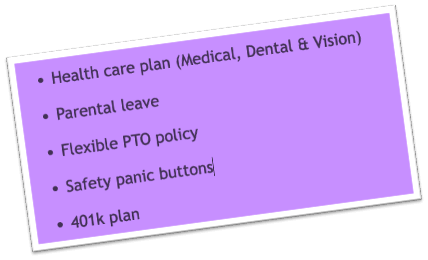
Panic Buttons Are Key Benefits for Employees

If you’re a service-based business and you are not listing “Panic Buttons” as a benefit you offer, you are missing an opportunity.

Other than salary, what do employees value the most from an employer?

Healthcare insurance (e.g., medical, dental)? Nope, 40%. Vacation/Paid time off? Sorry, 37%. Performance bonus? Good guess, but no, 35%. Paid sick days? Flat-lined at 32%. A 401(k) plan, retirement plan and/or pension? An oldie, but not the goodie at 31%1. Feel safe at work? WE HAVE A WINNER at 98%.

Yup, according to an employee survey we just conducted at one of our sites, a whopping 98% considered the measures taken to keep them safe as a key element in taking or staying at a job. Maybe that’s why you rarely see a headline where the employees are complaining about a new OSHA safety mandate.

You might not have heard, but sexual harassment, assaults, and injuries are rampant among hospitality and healthcare workers. How rampant? In a survey of hotel housekeepers, 58% – yes F I F T Y E I G H T percent reported that they had an unwanted sexual encounter at work at least once in the prior year – and that’s under-reported. In healthcare, workers account for 73% of all nonfatal injuries due to violence.

Why might you have not heard? Because 75% of sexual harassment cases go unreported, and nurses assume violence is part of their job.

Housekeepers, minibar attendants, room service waiters, healthcare workers, and mostly all service-based employees are at-risk in the workplace.  Why? Because they aren’t.

Think installing an employee safety solution (panic button technology) is expensive?

Consider the cost of NOT installing one instead. According to a study by SpringerPlus, employees who were sexually harassed reported (a) a decrease in job satisfaction (b) greater turnover intentions, and (c) a higher rate of absenteeism.

The loss of productivity alone is estimated to cost $1,053 per victim – and an environment that isn’t addressing the problem isn’t just affecting the harassed employee, but all of their colleagues as well.

Calculate for yourself, what does one employee turning over cost you? How about ‘just’ absenteeism?

As one example, the Bureau of Labor Statistics estimates the hotel and motel industry has one of the highest annualized employee turnover rates at 73.8%. That’s shocking considering HR professionals look for a range of 10-15% according to dailypay.com. Entry-level positions such as housekeeping or front desk positions, an employer can expect to pay 16% of an annual salary in turnover costs. If you’re paying $40,000 per year, that’s a staggering $6,400 per employee that leaves.

We haven’t even talked about the benefits from faster response times to an injury or medical emergency that these safety solutions can offer.

Finally, this doesn’t include the cost of litigation for negligently failing to protect your employees, or the fines if you live in a jurisdiction where they are legally mandated.

In conclusion, it appears we have found an employee benefit that is extremely important to them, that benefits the employer more.

ROAR for Good in the News

BLE vs. BLE Mesh Panic Buttons: A Simple Guide

For anyone researching panic buttons, the tech that lives under the hood of those tiny little devices can sometimes be confusing. Sure, they’re based around networks, which almost anyone can grasp, but the underlying functions and features can get lost in a sea of tech jargon and incomprehensible acronyms.

Complicating things further, companies within the market offer and advertise different types of panic buttons that work in different ways—often using varying combinations of hardware and software to offer the functionality required to both meet compliance and drive safer working environments.

A case in point is found within Bluetooth panic buttons. Two of the most common terms you come across to describe panic button functionality are BLE and BLE mesh. Both are based on the original Bluetooth standard but work in different ways to build networks within buildings.

But what’s the difference between these two versions of Bluetooth? And is one better than the other? Here, we explore BLE and BLE mesh in panic button platforms and what the latest developments offer.

Panic Buttons – Why Bluetooth?

Bluetooth was originally introduced to the market back in 2000 as a short-range wireless technology that allowed devices to communicate with each other. Today, you might be most familiar with it as a method to connect your Bluetooth headphones, but its use in panic buttons is now widely considered industry standard.

This is because reporting a call for help and determining the location of an individual indoors poses unique challenges when compared to outdoor environments where GPS and cellular connectivity are used — both of these standards are not accurate enough to be used in buildings.

In addition to this, they rely on a Wi-Fi or satellite network reaching every corner of the building, plus, they would require the use of smartphones or other devices that use significant power and require greater user input, which is not possible in workplaces (especially in the hospitality) that typically don’t allow their employees to use their smartphones on-the-job.

Bluetooth offers automatic location determination that does not require the user to input their location and can be set up at low cost using less complex devices that draw lesser power and offer greater network redundancy.

However, not all Bluetooth panic button devices are created equal, and much depends on the specific version of the technology used, with continuous development over the past 20 years paving the way for BLE and BLE mesh.

BLE vs BLE mesh – What’s the Difference?

BLE and BLE mesh were designed specifically for low-powered devices that are not required to transmit or receive large amounts of data. Panic buttons are the perfect example of this, performing a simple task of communicating a location to another device and subsequently relaying a call for help.

BLE and BLE mesh do this in different ways. Here, we look at the main differences without getting too bogged down in the technical jargon.

BLE stands for Bluetooth Low Energy, a standard introduced in 2010 that offered reduced energy consumption when compared to the existing Bluetooth standard. Specifically designed for wearables and small sensors that needed to communicate over short distances, such as panic buttons, it allowed for two different connectivity topologies—one-to-one and one-to-many.

BLE mesh builds on top of BLE, offering the same low-power consumption for use in similar applications, however, alongside one-to-one, and one-to-many connectivity, it can also provide many-to-many connectivity—otherwise known as mesh.

The differences between BLE and BLE mesh then, are in the way the Bluetooth protocol speaks to other devices in the network. While this may sound unimportant, it has big implications for the accuracy, reliability, maintenance, and cost of the network—specifically where Bluetooth panic button platforms are concerned! Here’s why.

BLE vs BLE Mesh Panic Buttons – ROAR vs. the Rest

As you might imagine, sending a help message to a single person is not always effective, but this is exactly what happens with one-to-one BLE. In fact, it’s the equivalent of sending someone an SMS from your smartphone, creating the smallest type of network where only two devices can communicate with each other at any given time. Your message might reach someone who can help, but it might not—certainly not an ideal situation in an emergency.

This is why the majority of today’s Bluetooth panic buttons work with one-to-many BLE. In most cases, this means Bluetooth-based beacon location determination, where Bluetooth beacons that only transmit are placed in all areas that need to be covered. The user then carries a device that receives the transmissions from the beacons and then sends this data to a remote server to determine a location based on which beacons are close by.

Unfortunately, this BLE panic button platform has several limitations:

  • Both Bluetooth and either Wi-Fi or cellular capabilities are required on the panic buttons to receive the transmissions from the beacons and to send the data over the internet.
  • A cellphone is not easily accessible in a moment of panic, not to mention some hotels prohibit housekeepers from carrying their personal phones with them. An additional wearable panic button is often required.
  • The building needs 100% Wi-Fi or cellular coverage. Many buildings have dead spots, especially if there is a basement or dense building materials such as concrete.
  • The beacons themselves have no connectivity, so if one is stolen, stops working, or the battery dies, there is no way to know which without checking each one individually.
  • It has a single point of failure, which means that for systems that rely on Wi-Fi if the network goes down due to internet or power outage, the system will not work.
  • There is no way to hear from the beacon unless an internet-connected beacon-listening device (mobile phone or tablet) is in range. This means the beacons could silently die with no warning. Once dead, they are difficult to find.

ROAR considered all of these things while designing its patented technology. Our panic button platform uses a battery-powered BLE mesh network that allows communication between multiple devices and removes the need for smartphones, cellular/Wi-Fi networks, and beacons entirely.

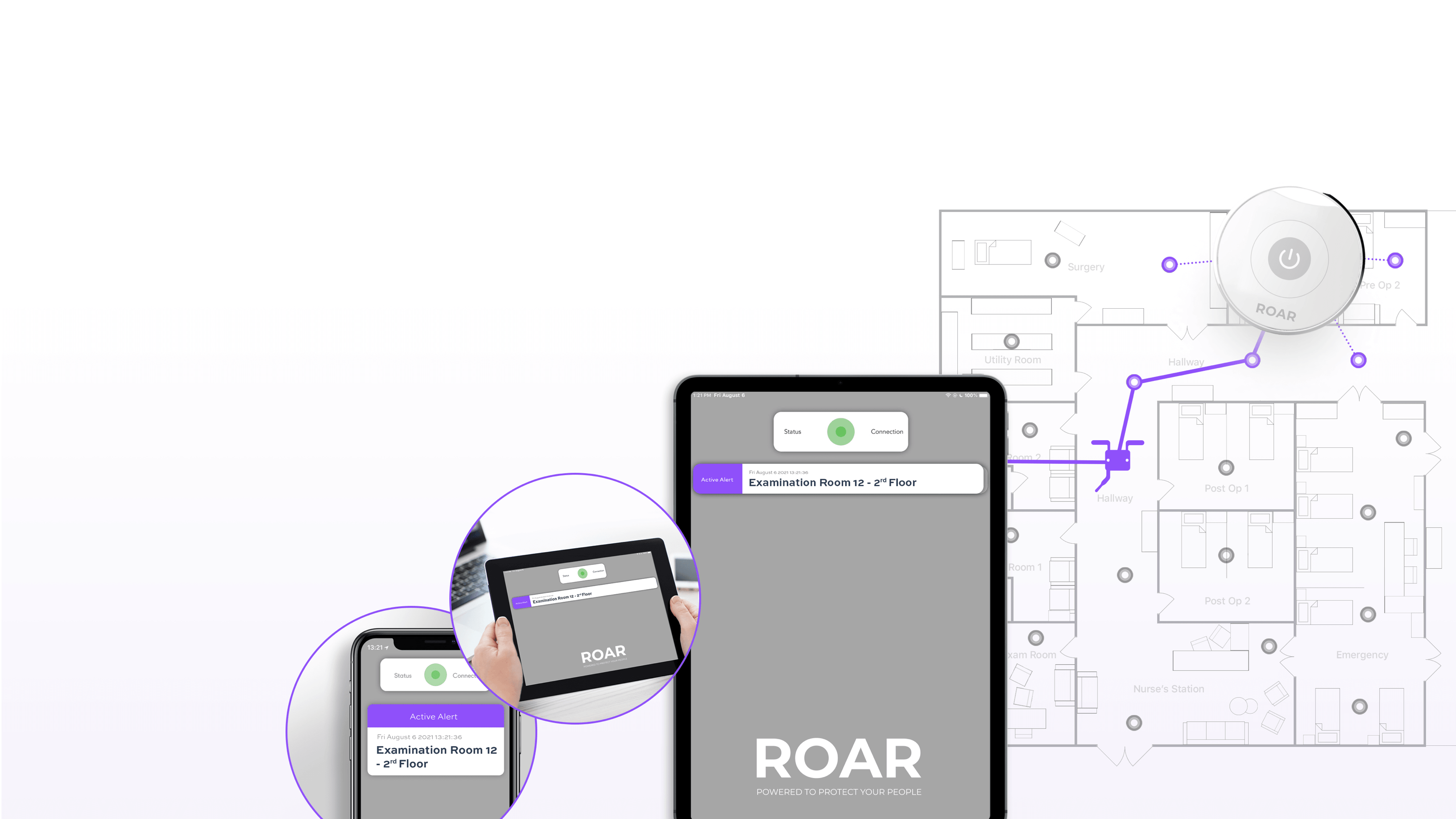
We use BLE mesh nodes that are placed within individual rooms or spaces and that receive transmissions from the user’s wearable device. The mesh nodes are always connected to each other through a mesh network, transmitting the emergency message to the server via a gateway wired to one of the nodes.

This type of Bluetooth panic button platform has a bunch of benefits over and above the current industry standard BLE, including:

  • Self-healing system — The network will “heal” and maintain its integrity even if a device is stolen.
  • Complete coverage — A single internet connection at a single location means no single node can break the network, offering multiple gateways for redundancy.
  • Live network monitoring — The server can monitor the entire system in real-time, checking to see if there is a battery running low or a node has gone out so network outages can be prevented or addressed immediately.
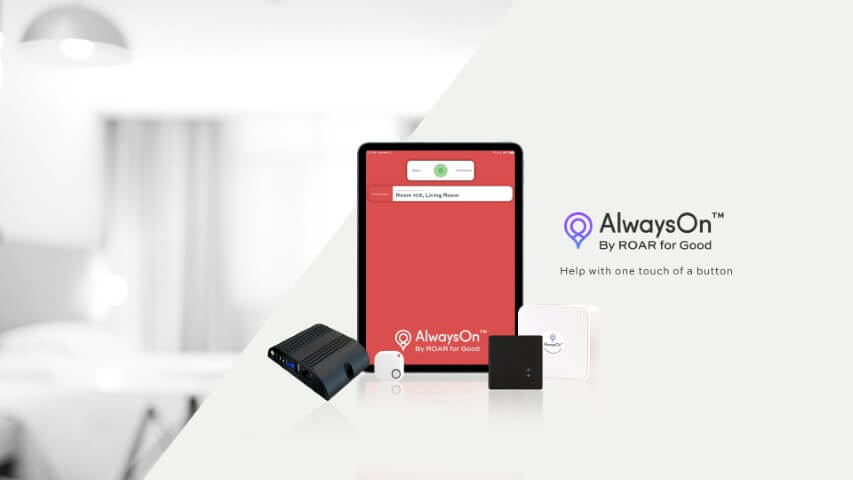
  • Backup connections as fail-safes — Since our BLE mesh sends its data to one location as the gateway out to the internet, multiple connections can be set up as fail-safes to make sure the system is AlwaysOn 😉, including LTE, Ethernet, and Wi-Fi. We can even support multiple LTE carriers as an additional failsafe.
  • Lower costs — Our BLE mesh panic buttons don’t require as much hardware because everything is connected. Also, this means our alert devices are smaller and cheaper as they do not need to be Wi-Fi or LTE capable, nor do they need to be paired to a secondary device such as a phone.
  • Better security protocols — The security (encryption) of the data being sent over Bluetooth mesh is likely comparable to standard BLE systems. However, in those systems, there is effectively a gateway in every room or every user’s pocket, while ours are locked into networking closets. Hence, the potential of a bad actor getting access to our backend data pipeline is significantly reduced.

BLE vs BLE Mesh Panic Buttons — A Simple Analogy

To use an analogy, BLE is simply a wireless communication protocol like radio is to sound. When a company or technology says it is using BLE in its panic buttons, they are simply saying that it uses radio (BLE) to transmit a sound (the alert location).

Imagine speakers in a house. Using BLE technology would be like having a speaker in every room but as you go from room to room the sound starts to get distorted and you must manually connect to the speaker in each new room. With BLE Mesh, you can move from room to room without any interruption or connecting manually because each speaker is passing on the information to each other.

To apply this to a hotel setting, a standard BLE beacon is a lone person per room (or per two rooms) whispering their name on repeat so that when someone enters, they know what room they are in. Say someone whispers, “Help needed in room 101, room 101, room 101!” If no one enters that room, those whispers go unheard. Now consider your beacon with a dying battery and suddenly the reliability of your Bluetooth panic button network is compromised. With BLE mesh, a robust community is built where everyone is able to communicate with each other at all times without fear of going unheard.

Simple….right? For further information on exactly how our system works, why it’s more effective than others, and to answer any questions you might have, contact a member of the ROAR today to discuss how we can help protect your people.

Screamers vs. Panic Buttons

According to a 2016 survey of 500 Chicago hotel workers, 58% have experienced at least one incident of sexual harassment by guests when they were at work. That’s up to twice the rate experienced by workers in other industries, and a worrying trend for those in hospitality.  Additionally, anecdotal reports indicate a rising trend involving finding drugs and firearms in guest rooms adding to the risks hotel workers are encountering. 

The issue has become so acute that over the past few years, an increasing number of cities and states have introduced rules and regulations requiring hotels to take several actions, a critical one being to provide employees with personal safety devices.  It’s not just legislative actions driving this trend.  Over 5 dozen major hotel brands and management companies and the predominant union representing hotel workers have also made commitments to improving hotel worker safety. 

One of the mandated requirements involves issuing location-based employee safety devices, more commonly called panic buttons, to employees who work in remote areas of the facility. Location-enabled panic buttons provide a personal security solution that allows employees to call for help quickly and in some cases discretely if they find themselves threatened, assaulted, or in a dangerous situation; often providing the fastest way to get assistance.  

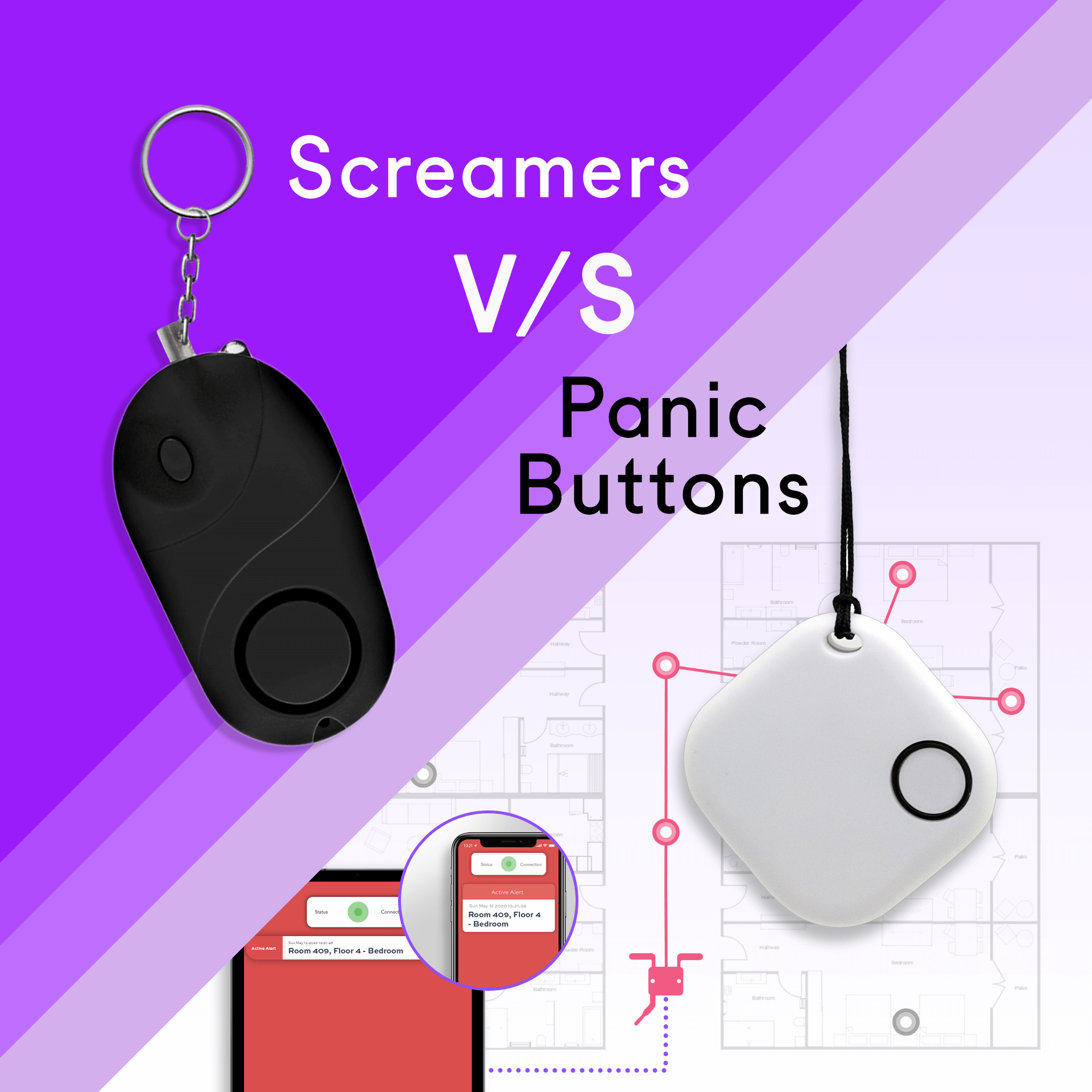
While most forward-thinking hotels that take the risk seriously are deploying full panic button solutions, in the past, some have opted for high-decibel audible alarms, also known as ‘screamers’ or ‘noise-makers’. Unlike panic buttons, which, if properly designed and implemented provide location-enabled hotel security with the employee’s exact location so they can provide help quickly and easily, screamers emit a loud noise to hopefully attract passers-by. Nearby guests or employees are then expected to use this noise to find the worker in distress and provide the required assistance. 

Although screamers can work in some situations, they have several serious drawbacks that can impact the safety of employees and guests alike. Here, we take a closer look at the most important differences between screamers and location based panic buttons that show clearly why more advanced panic button solutions are required for the 21st-century hotel.  

Key Differences and Deal-breakers – Screamers vs. Location Enabled Panic Buttons

Sound Attenuation and Summonsing Assistance

Part of the problem lies in the nature of hotel work itself, with employees often isolated from other members of staff. As a result, screamers can go unheard and unanswered, even in relatively small hotels.  

Screamers emit sounds at approximately 130 decibels – a considerable noise, if you are standing near them. The typical speaking voice is 55 decibels. However, sound attenuates over distance and as it passes through building materials. A typical residential wood and drywall wall construction will reduce the signal by 30-40 decibels per wall. Concrete ceilings and floors will attenuate the signal by 50 -70 decibels. 

Therefore, in a typical hotel with concrete floors and ceilings and wood and drywall walls, the signal will be virtually imperceptible beyond one room up or down and 2-3 rooms over. If someone is not within the immediate area, activating the screamer will have no effect in summonsing help. 

Housekeepers are often using loud equipment like vacuum cleaners, the noise of screamers can be muffled and hard to identify. This can make it very difficult for other employees to pinpoint the location of the person calling for help making the devices virtually useless. 

Deterrence

One often-cited advantage of screamers is that the loud noise will act as a deterrent to would-be attackers. This works well in parking lots and parks where there is a route to flee.  However, in an enclosed space, like a hotel room, it is equally likely that a motivated assailant or angry guest may be tempted to escalate the incident and physically remove the screamer from the employee’s possession. This, in fact, is the opposite of the desired effect and could put the employee in even more danger.  

Location-enabled panic buttons, on the other hand, help to solve some of these issues. Firstly, properly designed and implemented wireless panic buttons provide hotel security with the exact place of the person in distress. This means that security or other employees can attend to potential issues quickly and efficiently, no matter how isolated the worker or how loud their equipment is. 

Secondly, the “silent alarm” of this type of panic button allows employees to call for help without drawing even more attention. This has the potential to minimize antagonism of potentially dangerous individuals while also allowing employees to call for assistance during other incidents such as loud groups or suspicious behavior from guests.  

Here is a testimony from the healthcare sector. The National Health Service of the UK, in their Crime Science Journal reports: 

“Simple audible alarm devices (screamers) are not based on the expectation that they will produce assistance from third parties. Rather, they are primarily intended to create a distraction to allow the worker time to get away from a potentially violent situation… Some experts advise personal audible alarms are more suitable for outdoor use due to the potential risk of escalating a situation indoors and their use now is more limited. It has been suggested that alarm systems that rely on the use of whistles or screams are ineffective and dangerous in in-patient or psychiatric settings and coded, silent alarms triggering a response (as with a panic button) are more desirable in this setting.” 

Legal Requirements

Over the past few years, an increasing number of cities and states have introduced rules and regulations requiring hotels to provide employees with personal safety devices. Areas with ordinances already in place include Miami Beach, Chicago and Seattle, as well as parts of California, New York and New Jersey. 

Screamers have been in use in hotels since as early as 2009 (before location-based devices were available) in response to compliance requirements around staff safety. However, their efficacy was limited, and this led to unions advocating for more specificity in legislation. 

In order to remove any ambiguity and make a real difference to the safety of hotel employees, a number of cities and states have clarified the language used in their ordinances. For example, Miami Beach sent out a letter in 2019 warning hotels that “Devices such as ‘noisemakers’ do not meet the requirements set forth in the ordinance, as they simply emit a loud noise and do not disclose the location of the employee in need of prompt assistance.” 

This announcement came soon after the Miami Herald tested a screamer and showed just how ineffective and potentially dangerous these devices can be. This test proved that even with colleagues nearby calls for help can go unanswered, leaving employees to face harassment, assault, and other situations alone. 

Key high-level compliance requirements since the Miami legislation includes:  

  1. Reliable geolocation capability with the ability to locate associates to room-level accuracy 
  2. System coverage in all public spaces (restrooms, spa treatment rooms, housekeeping closets, etc.) and guest rooms/floors 
  3. Associates regularly in direct contact with guests should receive device 
  4. For union hotels, the device cannot track staff members unless the button is pressed 

Learn more about the benefits of panic buttons and how ROAR is redefining the industry standard by exploring our site or getting in touch with a member of the team to discuss your requirements.