
Wireless Duress Alarm Systems: What to Know Before You Buy

Key Takeaways
- "Wireless" describes three different duress alarm architectures, and two of them fail in the same dead zones you searched for wireless to avoid: stairwells, parking structures, and basements
- The five markers that separate a reliable wireless system from a commodity one are self-healing signal paths, battery-powered beacons, activation-only location, deliberate trigger design, and multi-responder routing
- A structured walk-test through your facility's worst coverage areas is the only way to verify a vendor's wireless claims, and any vendor who won't walk-test hasn't earned the conversation
"Wireless" is the most misleading word in duress alarm marketing. Every vendor uses it. Most buyers hear it and assume it means independence from their facility's infrastructure. But three fundamentally different architectures all call themselves wireless. Two of them trade wired connections for network dependencies that fail in the same stairwells and parking garages you were trying to cover. Before you buy, know which version of wireless actually eliminates the dependency.
What Is a Wireless Duress Alarm?
A wireless duress alarm is a panic button system where no hardwired connections run between the button, the location infrastructure, and the alert pathway. A staff member presses a device during a threat, the system identifies their location, and an alert reaches responders.
That distinction defines who this sub-type serves:
- Facilities retrofitting older buildings where running wire means tearing into finished walls
- Multi-site health systems needing one platform across buildings of different ages
- Any facility on a tight timeline where months of construction aren't an option
The problem is every vendor calls their system "wireless." What varies is the architecture underneath. The healthcare duress alerting overview covers the full category.
How Do Wireless Duress Architectures Differ?
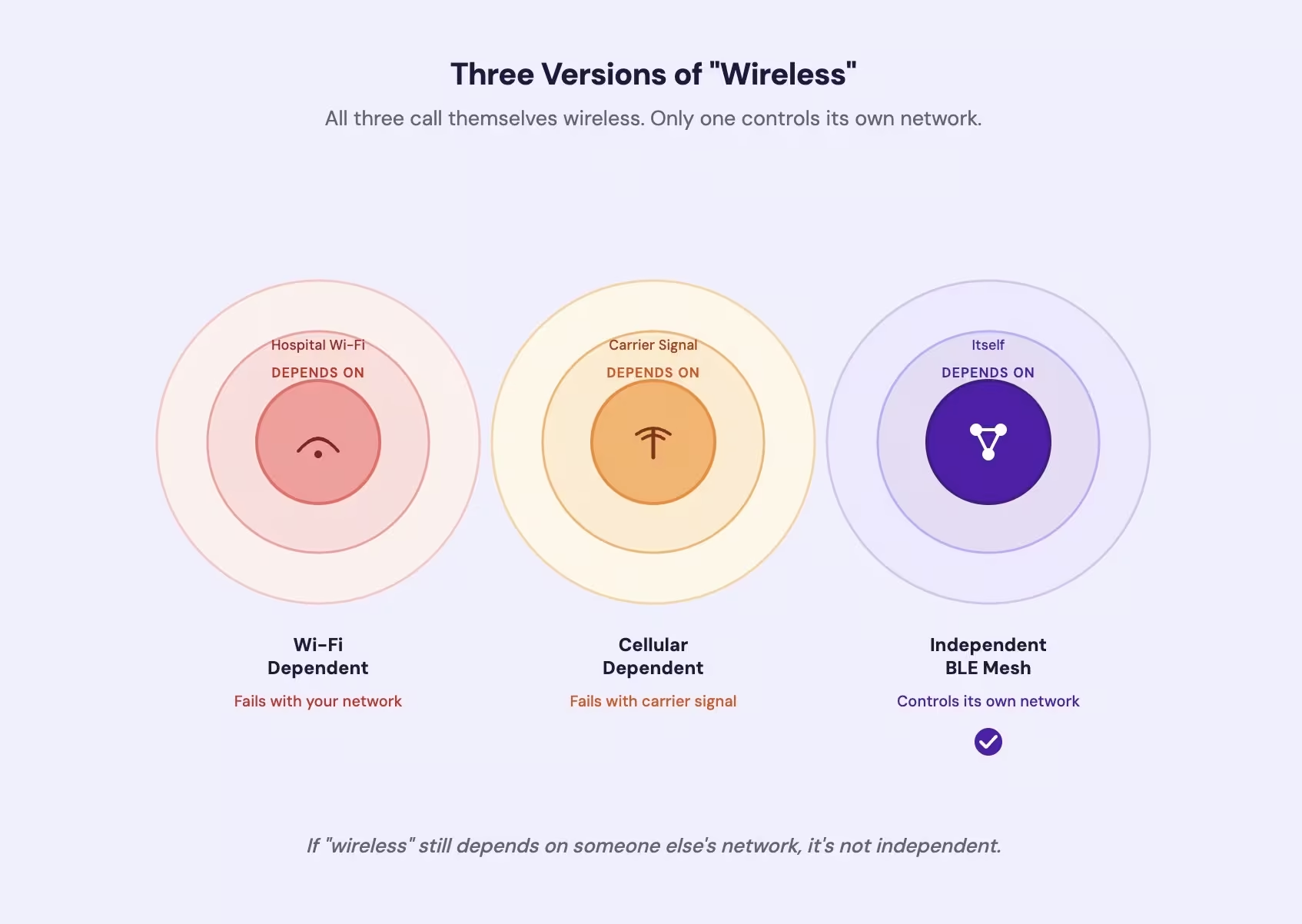
Three wireless approaches dominate. Each depends on different infrastructure and fails in different ways.
Wi-Fi-dependent systems send the duress signal over your facility's existing Wi-Fi. In stairwells, basements, and older wings where Wi-Fi drops, the alert drops with it.
Cellular-dependent systems bypass Wi-Fi and send the alert over a carrier's network. Parking garages, stairwells, and basements are common dead zones for cellular signals inside commercial buildings.
Independent Bluetooth mesh systems operate on their own network. Battery-powered beacons create a mesh that carries the alert without touching Wi-Fi, cellular service, or IT infrastructure.
| Architecture | Network Dependency | Fails Where | Infrastructure Required |
|---|---|---|---|
| Wi-Fi-dependent | Hospital Wi-Fi | Stairwells, basements, older wings with poor Wi-Fi | Existing Wi-Fi with full coverage |
| Cellular-dependent | Carrier signal | Parking garages, stairwells, interior basements | Cellular signal at each alert point |
| Independent BLE mesh | Self-contained mesh | Only where beacons aren't placed | Battery-powered beacons, adhesive-mounted |
Wi-Fi and cellular systems trade wired connections for network dependencies that go silent in the same locations where staff face the highest risk. An independent mesh is the only version of "wireless" that actually eliminates the infrastructure dependency. If you searched for "wireless" because you wanted independence from your facility's network, make sure that's what you're actually getting. The architecture comparison covers all four major approaches.
See how an independent wireless duress system works in practice
What Separates a Reliable Wireless System from a Commodity One?
Five markers separate reliable systems from commodity ones.
Self-healing signal paths. In a mesh network, if one beacon fails, surrounding beacons reroute the signal. No single point of coverage failure. A hub-and-spoke design loses coverage when the hub goes down.
Battery-powered location infrastructure. Beacons running on multi-year batteries don't need electrical outlets. That eliminates installation cost and removes the vulnerability of a wall-powered sensor that can be unplugged or lose power during an outage.
Activation-only location. You can't track your staff continuously and expect them to keep wearing the device. The system should capture location only when the button is pressed. Activation-only design sustains the adoption rates that make the system work.
Deliberate activation design. Single-press buttons are a common source of false alarms [1]. Multi-press or hold-to-activate designs produce measurably lower rates. Every false alarm trains responders to stop trusting the system. The duress badges guide covers activation methods in detail.
Multi-responder alert routing. The alert goes to multiple devices at once. If one responder misses it, others still receive it. Single-console routing is a single point of failure.
Our wireless duress system runs on an independent BLE mesh. No Wi-Fi dependency, no continuous tracking, no construction required.
Contact UsWhere Wireless Fits and Where It Doesn't
Wireless duress is the strongest fit for four facility profiles.
Retrofit buildings. Wireless installations can be completed in days because they skip the cabling and construction hardwired systems require [2].
Multi-site health systems. A single wireless platform covers facilities of different sizes and ages on one dashboard, one alert pathway, one training protocol. No vendor fragmentation.
Rapid deployment timelines. When a mandate or incident creates urgency, wireless gets a system operational in days rather than months.
Facilities without robust IT infrastructure. If your Wi-Fi is inconsistent or your IT team won't approve new devices on the network, an independent system sidesteps that dependency entirely.
Wireless isn't the right starting point in every scenario. New construction with a hardwired nurse-call backbone already in the plans may integrate duress more efficiently. And if you already have a functioning wired system with verified coverage, the cost of switching rarely makes sense. The staff assist button guide covers fixed-mount options.
What to Evaluate Before You Buy
Take these questions into every vendor conversation.
Network dependency. Ask what happens during a Wi-Fi outage, a power outage, and in areas with no cell signal. If the answer involves your building's Wi-Fi or a cellular carrier, you're back to the dependency you were trying to escape.
Coverage verification. Demand a walk-test before go-live. Walk every stairwell, basement, and parking structure with the system active. If the vendor won't walk-test, that tells you everything you need to know.
Battery and maintenance. Confirm battery life for every component. Ask whether the location infrastructure requires wall power. A device that can be unplugged can be disabled.
Implementation support. Does the vendor train staff on-site and run activation drills? Or do they ship hardware and send a link to a training portal?
Regulatory fit. Illinois SB 1435 requires hospitals to provide wearable panic buttons to staff [3]. New York SB 5294B requires workplace violence prevention programs with alarm systems [4]. Confirm your jurisdiction's requirements. The healthcare duress alerting overview covers the broader regulatory direction.
Start with the walk-test. Any system that passes in your stairwells, basements, and parking structures has earned a closer look. Any system the vendor won't walk-test hasn't.
WIRELESS DURESS ALARMS
Walk-Test It in Your Building
Ask us to demonstrate coverage in your stairwells, parking structures, and oldest wings before you commit.
References
- Critical Care and Resuscitation (PMC). "False Code Blue Calls and Physical Design Controls." https://pmc.ncbi.nlm.nih.gov/articles/PMC10692528/
- OSHA. "Guidelines for Preventing Workplace Violence for Healthcare and Social Service Workers." https://www.osha.gov/sites/default/files/publications/OSHA3153.pdf
- Illinois General Assembly. "Senate Bill 1435." https://www.ilga.gov/legislation/104/SB/PDF/10400SB1435lv.pdf
- Barclay Damon. "NYS Hospitals Required to Meet New Workplace Violence Prevention Requirements." https://www.barclaydamon.com/alerts/nys-hospitals-required-to-meet-new-workplace-violence-prevention-requirements