
Duress Alarm Systems for Hospitals: Architectures Compared
Key Takeaways
- Four duress alarm architectures dominate hospital evaluations, and the network dependency underneath each one determines whether the system works during the outages and dead zones that accompany real incidents
- Continuous staff tracking built into RTLS-bundled systems causes measurable adoption decline over time: staff who feel monitored stop wearing the device, and a system nobody wears protects nobody
- Match your architecture to your facility's actual constraints, not a vendor's feature list: building age, wireless coverage gaps, campus size, and multi-site distribution narrow the field before any product conversation starts
Four duress alarm architectures show up in every hospital evaluation. They share a demo-room pitch: press a button, get help fast. They don't share the same network path, the same failure mode, or the same coverage profile when the building loses Wi-Fi at 2 a.m. Most of what you'll evaluate depends on infrastructure it doesn't control. This comparison maps those architectures against each other on the criteria that matter under real conditions.
What a Duress Alarm Does in a Hospital Setting
A duress alarm is a staff-initiated, silent alert that sends the wearer's identity and location to a response team the moment they press a button. It's different from three systems it gets confused with:
- Nurse call is patient-initiated and routes to clinical staff
- Overhead codes are public announcements that alert the aggressor
- General security alarms protect perimeters, not people
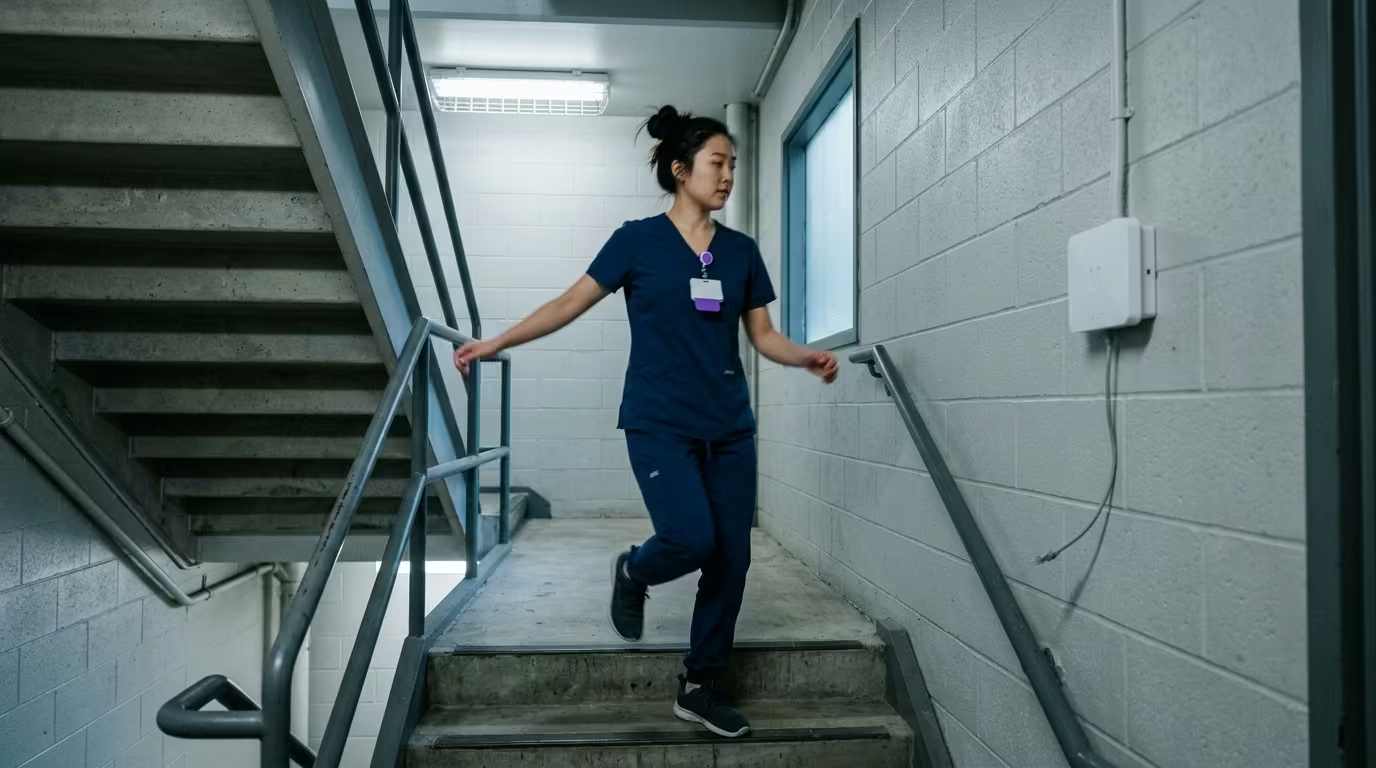
A nurse in a stairwell facing an aggressive visitor needs a silent, personal alert that tells security who she is and where she is. Overhead codes can't do that. Nurse call buttons are bolted to patient rooms.
The healthcare duress alerting overview covers the full category. This article focuses on the architecture underneath: what separates a system that works on demo day from one that works at 2 a.m. on a holiday weekend.
Four Duress Alarm Architectures Compared
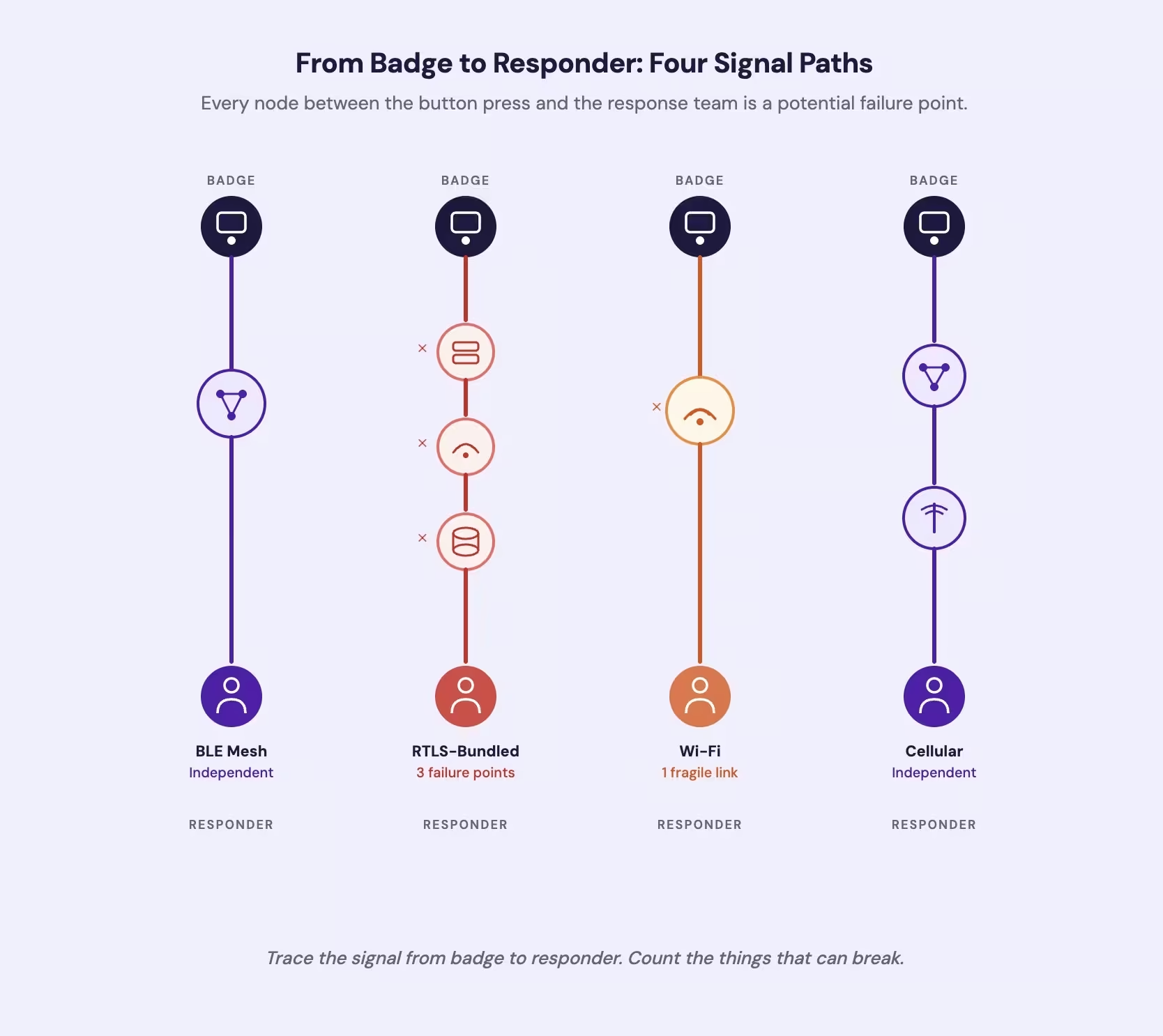
Four architectures dominate the market. They look similar in a sales demo. They behave differently when the infrastructure they depend on fails.
Standalone BLE Mesh uses Bluetooth Low Energy beacons that build their own network inside the facility, independent of hospital IT. If a beacon fails, neighboring beacons reroute the signal.
RTLS-Bundled systems add duress alerting as a feature within a Real-Time Location System built for asset tracking. The duress function shares infrastructure, servers, and software with the tracking platform. If the RTLS platform goes down, the duress function goes down with it. Ask the vendor: what happens to duress alerting during a platform update? No major RTLS vendor publishes failover specs for that scenario.
Wi-Fi-Dependent systems route alerts through the hospital's existing wireless network. They avoid new infrastructure but inherit every weakness of it: dead zones in stairwells, parking structures, and basements.
Network-Independent Cellular systems combine a standalone BLE mesh with a cellular gateway. Alerts travel from badge to mesh to a cellular radio that bypasses hospital IT entirely. One power outlet per gateway. Everything else runs on batteries.
| Architecture | Network Dependency | Failure Mode | Dead Zone Coverage | Infrastructure |
|---|---|---|---|---|
| Standalone BLE Mesh | None (self-forming) | Beacon failure reroutes through neighbors | Full where beacons placed | Battery-powered, adhesive-mounted |
| RTLS-Bundled | Hospital RTLS platform and network | Fails when parent platform fails | Limited to RTLS access points | Mains-powered, IT integration |
| Wi-Fi-Dependent | Hospital Wi-Fi | Fails wherever Wi-Fi drops | No coverage in Wi-Fi dead zones | Existing Wi-Fi with full coverage |
| Network-Independent Cellular | Cellular via gateway | Needs cellular at gateway; mesh independent | Full mesh regardless of Wi-Fi | Battery beacons + one gateway per zone |
These differences show up most clearly under stress. At one hospital mental health unit, an IT breakdown took the duress alarm offline for seven hours during a software upgrade [1]. Nurses had no protection for an entire shift. That's what network dependency looks like in practice.
Across acute-care hospitals surveyed, 96% identified the emergency department as a top area for violence [2]. OSHA flags corridors, stairwells, parking lots, and elevators as risk factors [3]. The highest-risk zones are the ones most likely to have thin wireless coverage. An architecture that depends on facility infrastructure fails precisely where incidents happen most.
See how a network-independent duress alarm architecture works in practice
Why Architecture Determines Staff Adoption
A duress alarm that staff won't wear protects no one. Whether they wear it depends on one architectural choice more than any training program: does the system track them continuously?
You can't track your staff all day and expect them to trust the device. RTLS-bundled systems do exactly that because the parent platform was built for asset tracking. Healthcare workers will use RTLS tags when they believe the system supports safety [4]. When the purpose shifts from "this protects you" to "this monitors you," adoption collapses.
That erosion compounds. One hospital saw smart badge adoption climb in year one, then drop in year two [5]. Medical residents wearing RTLS badges routinely left them in workrooms after shifts [6]. The architecture required continuous wear for a function staff didn't ask for. Staff responded by not wearing it.
A system that activates location only when the button is pressed avoids this entirely. Nothing to track during a normal shift. The duress badge guide covers activation-method tradeoffs in detail.
Our system runs on a network-independent BLE mesh with cellular gateway backup. No Wi-Fi dependency, no continuous tracking.
Contact UsWhere Each Architecture Fits and Fails
The right architecture depends on your facility, not a vendor's feature list. Start with your constraints.
Multi-building campuses need an architecture that scales without separate infrastructure per building. RTLS systems require dense access-point installation in every structure. Network-independent systems extend coverage building by building with battery-powered beacons and cellular gateways.
Older facilities with poor wireless coverage disqualify Wi-Fi-dependent and most RTLS architectures immediately. Battery-powered BLE mesh installs without wiring or electrical work.
Distributed health systems with a mix of large hospitals and small clinics face a fragmentation problem. RTLS platforms are built for large facilities. Small clinics don't justify the infrastructure. A single-platform architecture that covers both eliminates the multi-vendor problem.
High-acuity behavioral health units need coverage in seclusion areas, quiet rooms, and outdoor courtyards where infrastructure is thinnest. The psychiatric unit duress guide evaluates products against those requirements.
When this evaluation isn't necessary: A small, single-workstation clinic may not need a full architecture comparison. The staff assist button guide covers simpler options.
What to Evaluate Before Choosing an Architecture
The Joint Commission requires hospitals to assess workplace violence risk annually [7]. CMS scrutiny is increasing [8]. But no regulator names a specific technology. They require you to mitigate risk. They don't tell you how.
That means the evaluation burden falls on you. Bring these questions to every vendor:
Infrastructure reality. Walk your highest-risk areas with a Wi-Fi analyzer. If you don't have reliable coverage in every stairwell and parking structure, any Wi-Fi-dependent architecture has a gap where incidents are most likely.
Failure-mode testing. What happens to duress alerting during a network outage? A power failure? An RTLS platform update? If the answer is "should still work," ask for documentation.
Adoption risk. Does the system track staff continuously or only during an active alert? What's the vendor's adoption data at 12 and 24 months?
Coverage verification. How will you confirm the system works where incidents actually occur? A demo in a conference room proves nothing about a stairwell.
Deployment footprint. Does installation require cabling and electrical work, or battery-powered devices that mount with adhesive? The answer determines weeks versus days.
Implementation support. What do the first 30 days after installation look like? On-site training, activation drills, and coverage verification separate a deployment partner from a hardware shipment.
Start with the network path. Trace the signal from badge to responder and ask what happens to every link in that chain when the infrastructure fails.
DURESS ALARM ARCHITECTURE
Trace the Signal Path in Your Facility
Ask us to walk your stairwells, parking structures, and oldest wings and show you where the signal goes.
References
- Otago Daily Times. "IT Breakdown Put Nurses at Risk." https://www.odt.co.nz/southland/it-breakdown-put-nurses-risk-nzno
- New Jersey Hospital Association. "Workplace Violence Bulletin." https://www.njha.com/media/699115/workplace-violence-bulletin-6-23-22-final.pdf
- OSHA. "Guidelines for Preventing Workplace Violence." https://obis.osha.gov/Publications/osha3148.pdf
- JAMIA Open. "Healthcare Personnel Willingness to Use RTLS Tags." https://academic.oup.com/jamiaopen/article/4/3/ooab072/6129363
- BMC Medical Informatics. "Smart Badge Adoption Study." https://pmc.ncbi.nlm.nih.gov/articles/PMC8889732/
- Journal of Graduate Medical Education. "RTLS Badge Use Among Medical Residents." https://meridian.allenpress.com/jgme/article/11/3/324/421146/Use-of-a-Real-Time-Location-System-to-Understand
- The Joint Commission. "Workplace Violence Prevention Standards." https://www.jointcommission.org/en-us/standards/r3-report/r3-report-30
- ASCP. "CMS Orders Surveyors to Focus on Workplace Violence Prevention." https://www.ascp.org/news/news-details/2023/01/19/cms-orders-state-surveyors-to-focus-on-hospitals-workplace-violence-prevention-programs