
16 Bluetooth Panic Button Questions Healthcare Leaders Ask
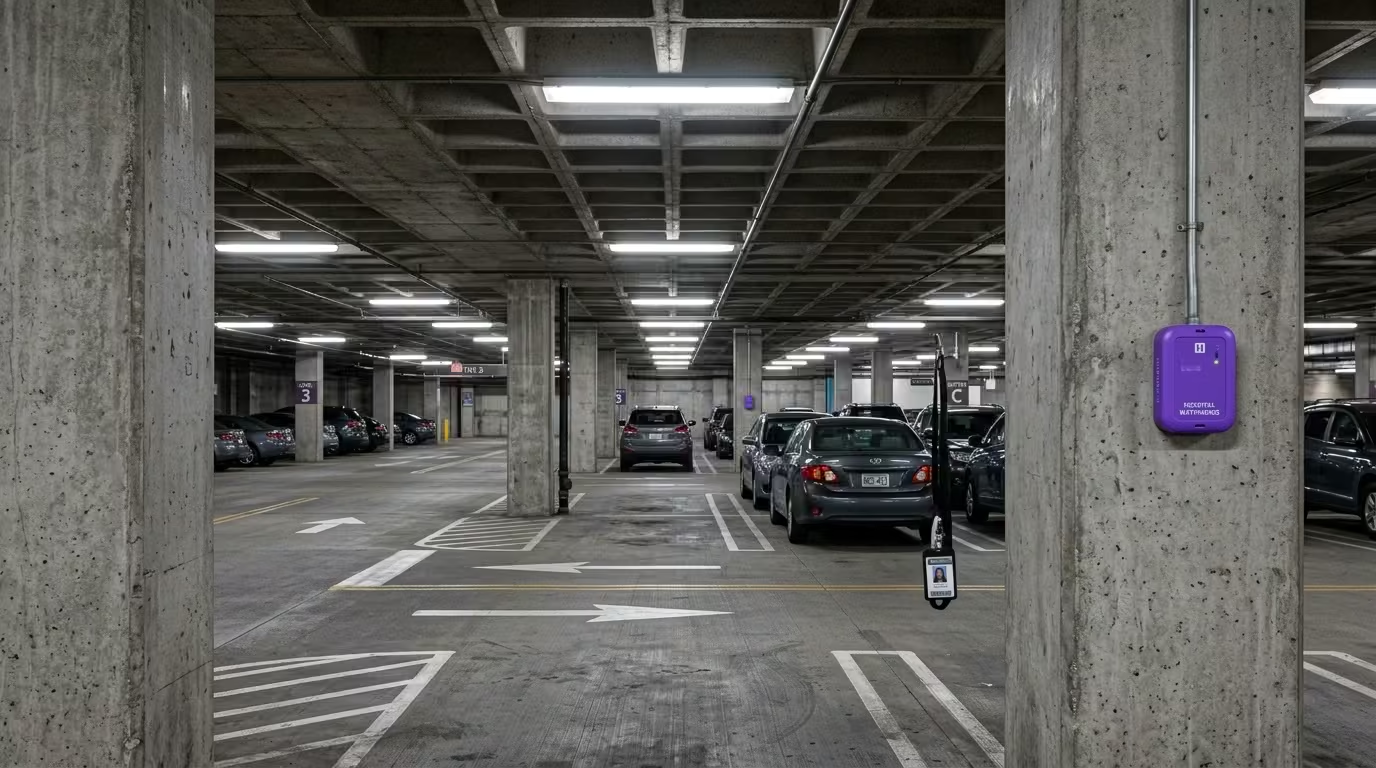
Bluetooth panic button systems work differently depending on their underlying architecture. The questions below cover how these systems perform in facilities without reliable WiFi, what separates standalone wireless networks from WiFi-dependent approaches, and what technical and security leaders need to evaluate before choosing a system. This bluetooth panic button FAQ draws from documented deployment data and published guides across this topic area.
What is a Bluetooth panic button and how does it work?
A Bluetooth panic button is a wearable device that sends a distress signal over a wireless network when pressed. In standalone BLE mesh systems, battery-powered beacons placed throughout a facility form their own network. That network operates independently of facility WiFi, so the signal reaches responders even in areas where internet connectivity drops. The alert includes the staff member's location, typically accurate to the room level.
Why do WiFi-dependent panic buttons fail in behavioral health facilities?
WiFi-dependent systems fail because the buildings themselves block the signal. Behavioral health facilities use reinforced concrete, thick fire doors, and signal-dampening construction designed for patient safety. These materials create dead zones in stairwells, parking structures, and older wings, the same locations where violence incidents cluster most.
What is BLE mesh and how is it different from WiFi?
BLE mesh is a standalone wireless network built from battery-powered beacons. Each beacon relays signals to nearby beacons, creating a self-healing chain that routes around obstacles. Unlike WiFi, it requires no wiring, no access points, and no connection to clinical networks. If one beacon fails, neighboring beacons reroute the signal automatically.
Do Bluetooth panic buttons work during power outages?
Yes. Battery-powered BLE mesh beacons keep operating when facility power goes down. During a documented four-hour outage at one facility, the safety system stayed live on battery backup with six to eight hours of reserve while WiFi access points went dark. Healthcare facilities average more than seven power events per year, making outage resilience a critical requirement.
What areas can Bluetooth panic buttons cover that WiFi can't?
Standalone BLE mesh covers parking structures, stairwells, elevator cabs, outdoor courtyards, and older building wings. These are the exact zones where WiFi drops and where incident reports show violence concentrates. Verified deployments confirm room-level accuracy across all these areas. Coverage reaches every zone staff actually work in, not just the zones where WiFi happens to reach.
How long does it take to deploy a Bluetooth panic button system?
BLE mesh systems deploy in days to weeks for a typical facility. A 100-room facility can be fully covered in two to three days of beacon placement. There's no wiring, no construction, and no disruption to patient care during setup. WiFi-dependent and hardwired alternatives often take months and carry retrofit cost premiums of 25–40%.
Will a Bluetooth panic button system affect our clinical network?
A standalone BLE mesh system runs on its own private network. It shares zero bandwidth, zero infrastructure, and zero added security risk with clinical systems. Deployments carry HITRUST r2 and SOC 2 Type II certification on a dedicated network. Your technology team gains a safety system without adding load to the network they already manage.
What uptime should we expect from a Bluetooth panic button system?
Life-safety systems in healthcare require 99.9% uptime, which allows roughly 52 minutes of downtime per year. WiFi typically delivers 95–99% availability, translating to 36–87 hours of annual downtime. Standalone BLE mesh deployments document 99.9% SLA-verified uptime. The difference between those two numbers is measured in days, not minutes.
How do I evaluate Bluetooth panic button vendors?
Start with your facility, not the vendor brochure. Overlay your RF heat map with your incident location data. That one-afternoon analysis reveals where dead zones and assaults overlap. Then ask vendors for documented uptime records, site walkthrough results, current security certifications, and performance data from comparable facilities. The distinction between "targets 99.9%" and "documents 99.9%" separates strong vendors from weak ones.
What should a CTO prioritize when assessing these systems?
Prioritize infrastructure independence and documented evidence over vendor projections. Peer CTOs at leading behavioral health facilities focus on outage records, site walkthroughs, and current certifications rather than feature lists. Behavioral health technology teams typically run with 15–25 staff, so deployment speed and maintenance burden matter as much as coverage. Ask whether the system works in your building, not whether it works in a demo.
What should a CSO prioritize when assessing these systems?
Prioritize coverage proof in the specific zones where your staff are most at risk. Parking lots account for roughly one in four healthcare violence incidents, and stairwells rank among the highest-risk areas for staff injury. Peer security directors shifted from treating dead zones as a WiFi problem to treating them as an architecture decision. Ask vendors to prove coverage in your parking structure, your stairwells, and your outdoor transition areas.
How does a Bluetooth panic button system help with Joint Commission compliance?
Joint Commission workplace violence prevention standards took effect in July 2024 for behavioral health settings. These standards require proof that safety systems cover all areas where staff work, including parking structures and outdoor zones that WiFi often misses. Verified coverage data, uptime records, and incident response logs form the evidence package surveyors expect. Loss of accreditation puts Medicare and Medicaid funding at risk.
What does a Bluetooth panic button system cost?
Capital hardware cost runs around $182 per badge with no wiring and no construction. Standalone BLE mesh avoids the ongoing costs of WiFi access point expansion and the 25–40% retrofit premiums that hardwired systems carry. Total cost of ownership depends on facility size and architecture choice. A site assessment builds the specific cost picture before any purchase commitment.
How do I build the internal business case for this system?
Start by overlaying 12 months of incident data against your current coverage map. That overlay shows leadership exactly where staff are unprotected and turns a technology request into a documented risk. Frame the first ask as approval for a site assessment, not a purchase. Once the assessment confirms what the data already shows, the evidence builds the rest of the case.
Can staff trust that the system will work when they need it?
Staff already know where the dead zones are. They avoid certain stairwells, they walk in pairs through parking lots, and they tell new hires which areas to watch. When a system provides verified coverage in every one of those zones, trust follows. One facility reported a 38-point jump in staff responses to "I feel safe at work" after deploying full coverage.
What happens if a beacon in the BLE mesh network fails?
The mesh self-heals. Neighboring beacons automatically reroute the signal around the failed node. This means a single point of failure doesn't create a coverage gap. The stress-scenario performance data for BLE mesh confirms continued operation through node failures, power outages, and network disruptions. Battery-powered beacons also eliminate dependence on facility electrical infrastructure.